Anaconda_
-
Posts
1,534 -
Joined
-
Last visited
Content Type
Profiles
Forums
Articles
Everything posted by Anaconda_
-
Did anyone watch the promo video?
-
If you get a zoom, you can also use it as a usb audio interface to recording into some software. For example, you could record straight into your video timeline, and remove any editing into the clips, just record where you want the VO to be. There are cheaper USB interfaces, but I use a Zoom H6, it comes in a nice package with 2 built in, but detachable mics that work well for voice over. Which keeps the price down. It give you quality recording in the field and back at base, while also not having to worry about cables etc. you also have 6 channels if you wanted to use it for say podcasts, or recording a band on location (which I do a lot) @IronFilm can probably also share some tips and suggestions.
-
Haha, no problem, just took me aback a little. And yeah, it's a great place to live, but sad it's in the news for something so shitty. So about this camera huh? Yes, I think that's right. Since the 18-135 is a crop lens, if you do decide to hack it, you'll get vignetting with this booster.
-
I assume so. That is the case with Metabones and Viltrox, so don't see why it'd be any different. The hack is easy, but you won't be able to sell the lens down the line really. @BTM_Pix - Wow, how did you know that? Thanks for asking, I'm all good, but there's not much info right now. The police here were on strike today - it ended very quickly - so either it was preplanned or the fucker got lucky. Either way, he's not been caught yet. People have been asked to stay off the roads as much as possible to keep them clear for emergency vehicles.
-
Is it waterproof? Seriously though, who wants this angle?
-
In case you weren't already aware, this won't fit on speedboosters as the back of the lens will hit the glass. The same thing happens with the 10-18 EF-S. Luckily, you can hack the 10-18 to make it work, but not sure if that's possible with the 18-135.
-
Adapter is on the way. Should arrive tomorrow. I already had FD to EF and EF to MFT so I bought a few lenses to play with. I like it, so going more direct. Will be a shame to lose the speed booster in the middle though.
-
I do this with MFT-EF-FD and it works really well. I only ever experience issues when I go wide open on the FD lens, but I think that’s because of the bad glass on the EF-FD adapter.
-
His presentations crack me up so much. I don’t think he writes or rehearses them. just wings the whole thing then they click publish without any edits. Brilliant stuff
-
I use this daily and can run the camera no problem with no internal battery, running into the power socket, not a dummy battery: https://www.aliexpress.com/item/DC-12V-NP-F-Battery-Power-Supply-System-Mount-Adapter-Plate-Holder-for-BMCC-BMPCC-4K/32955311989.html
-
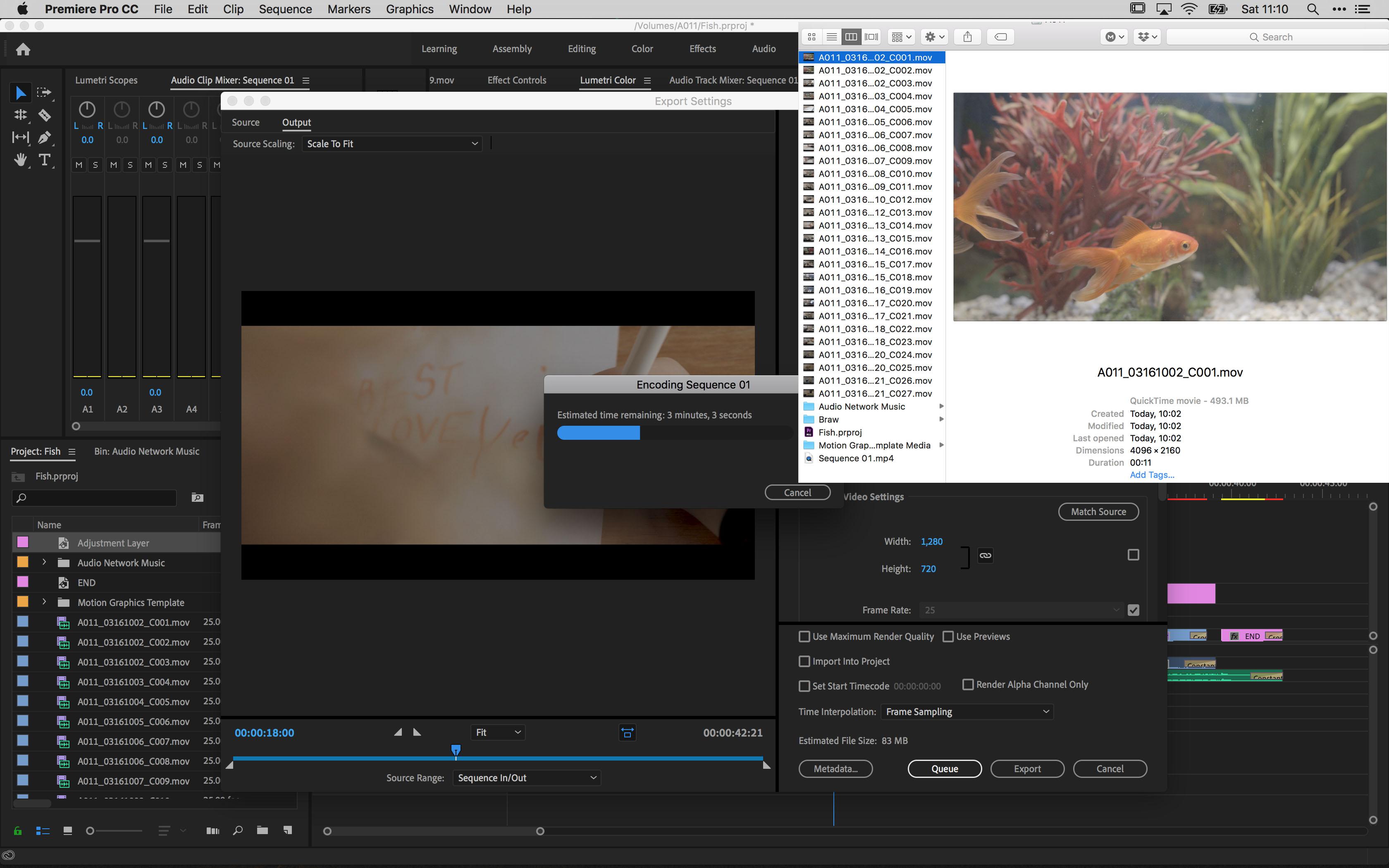
Here's my effort, and to help anyone who might be thinking something fishy went on, the first clip I shot was at 10:02 - and I exported the edit at 11:10 ( screen shots attached ) - No animals were hurt in the making of this film, just one carrot.

-
I'm planning on making a proper go at this today, but totally dependant on a nap - 3 hours might prove a stretch, but we'll see. Until I can post that though, here's something I made a few weeks ago to test a Resolve workflow. Similarly to @xzobinx, it's spoken word and people watching, although mine is a lot more pretentious.
-
Love this idea. I'll give it a crack tomorrow and let my daughter direct. Will also try to get the time-lapse set up too. Coming up with the story count in the 3 hours?
-
For me, shooting in 4k is all about archiving. I film a lot of interviews with musicians, actors and directors. You never know what future standards will be, but shooting in better than todays accepted standards can only be better for future distribution. This also includes home videos with the kids. When they're older, I want to embarrass them in front of their partners in as much detail as I possibly can. Every visit.
-
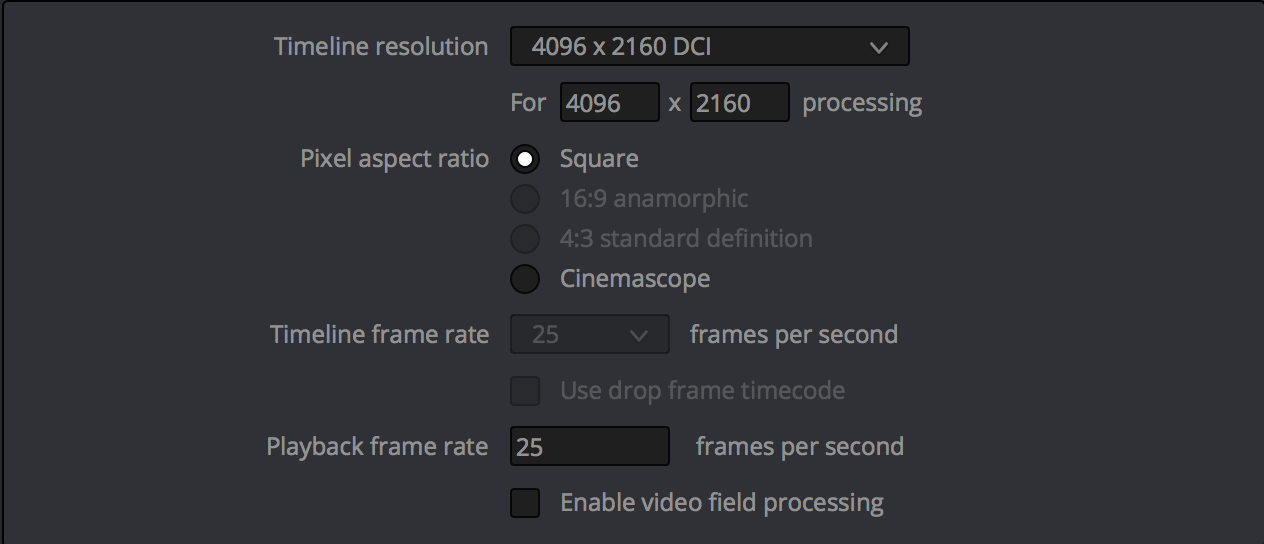
I just discovered a hack, that I've been able to repeat a number of times to test and it's saved me hours of work, so thought I'd share for anyone else who's faced/will face this problem. The problem: Wrong timeline settings, but you don't notice before you go to export. I'm new to the software, I loaded my media, made a timeline and edited my video. Great, it's mostly a test to learn how to use it, and I'm done. I go to export and find I can only select 24p or 30p, my media is all 25p, and I can't for the life of me figure out why. I'm trawling through settings and find a greyed out box in the Master Settings that says 24 frames per second (changed to 25 in the screenshot). It turns out, you can't change this once you've loaded media into your project... (why?) The solution: I backed up my project, deleted ALL the media, timelines etc. to make it brand new. I then opened the Master Settings to make a template to avoid this from happening again. After saving and closing the settings box, for some reason, I assume either habit or fate, I pressed cmd+z. The spinning beach ball arrived and my frustration grew, but suddenly all my media and timelines came back, undoing the delete. Out of curiosity I opened the Master Settings again and low and behold, my project was all set to 25p and I can export my edit at the correct frame rate, without having to reedit the whole piece. TLDR; Wrong project FPS when starting the project Delete all media and timelines - ideally highlight everything and press delete just once Change project FPS in Master Settings Undo media and timeline deletion Export at correct frame rate.
-
Can't wait to use this for run n gun!
-
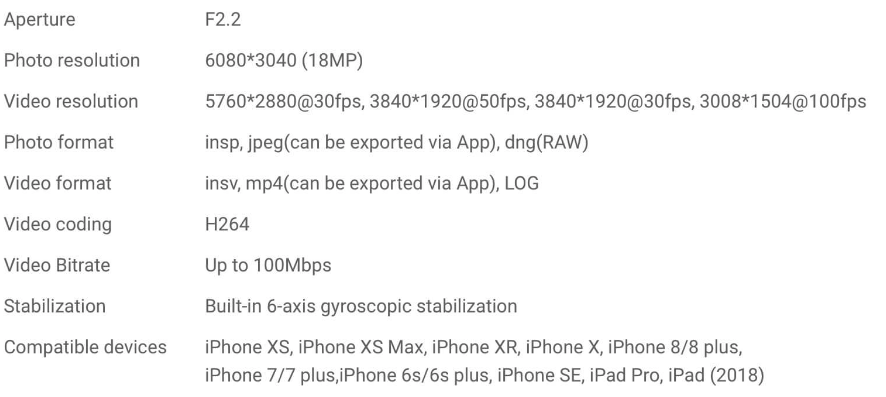
Does anyone know if the 18mp photos stated here means its 2x 18mp stills, or 1 combines, so each camera is 9mp? Also, I noticed on their website, you can shoot video in LOG. I'm semi interested in this as a digital 3d camera, and 360 could be fun for vacations, but the battery seems pretty small - around 1hr, a that's likely with wifi turned off.
-
That's awesome. I wonder if stereo mode gives you two 16x9 videos or one frame with two squeezed images. I understand the fisheye for the 360 stuff, but for stereoscopic images it could be problematic, since we don't see the world with those distortions. Stereo photography is about trying to place the viewer in the scene, but that illusion would be lost. That's also the reason I never bought into those GoPro stereo cases. Never the less, it's an interesting concept, and as a Stereo Realist user, I hope this works out, as there's a lack of worthwhile 3D cameras out there. (I think the Fuji W3 is probably the best of the bunch, but it's getting on a bit)
-
How is that powered? I can't see any space for a battery, and looks like you can only use that DC 7-24v socket. That alone makes it difficult on smaller systems. The Zacuto EVF runs on LP-E6, which makes it a better solution in that respect. Hopefully I'm just missing something though.
-
As far as I know, all lens measurements, regardless of the system they mount on, are based on a full frame sensor, from field of view to the amount of light they let in. For example, shooting at 50mm f1.8 on full frame will be wider and brighter than 50mm f1.8 on APS-c, which will be wider and brighter than 50mm f1.8 on MFT. That said, does medium format also follow this rule? would you say it has a negative crop? So 50mm is actually 35mm FOV? (or whatever the maths makes it out to be)
-
You might also get away with the Meike 28mm f.28 - it's a great cheap, tiny manual prime with clickless aperture. Nice focal length for a walk around lens too.
-
To quote, but slightly reword our own @BTM_Pix: As luck would have it, a post about one for the Ninja V has just popped up in another thread that might be of interest.
-
How long did it take you to get a response? I've send 3 or for requests over the last week or so, but hearing nothing back.
-
There is in Raw. If it used the full sensor, it’d have to down res/ process the image, making it no longer raw. ProRes has no crop in 1080p
-
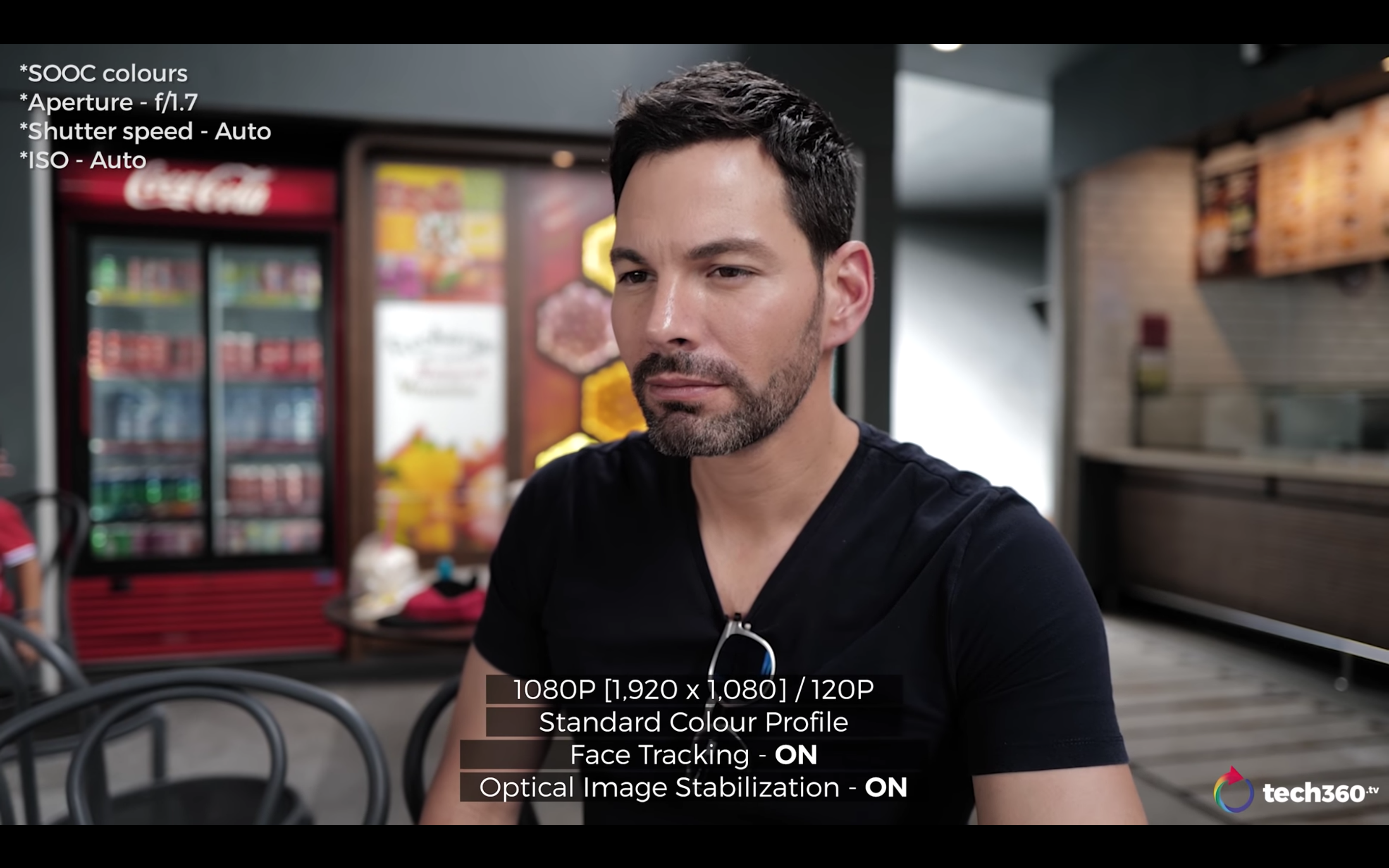
The video to me looks awful. It could be down to the lighting, but he looks more like a Ken doll than a living, breathing, fleshy human. The stills look fantastic, of course, but I'd never use this for video.