
kye
-
Posts
8,264 -
Joined
-
Last visited
Content Type
Profiles
Forums
Articles
Everything posted by kye
-
Cool you found it. I have lots of those moments! Also, if you don't want to edit the clips but just want to convert all of them to Prores, then the Media Management tool under the File menu (when the Media page is selected) is a great tool. It can also export the things only on the timeline too, either the whole clips that appear on the timeline, or the same but also trimming the clips on the timeline and optionally adding extra frames to the start/end of each clip for flexibility in editing later on.
-
DaVinci Resolve has heaps of functionality for converting between different colour profiles / gammas and is free, but you'll have to work out what the names of the colour / gamma spaces that you used are, not just the model numbers of the cameras. Alternatively, there is a LUT calculator that might have the profiles you're interested in: https://cameramanben.github.io/LUTCalc/LUTCalc/index.html Of course, the best approach is to not use a LUT at all, and use some kind of proper transformation that doesn't do a destructive transformation. You don't mention what software you're using, and that might help.
-
And can we afford the disk space and memory card requirements of the All-I codec??
-
I think I'm moving in that direction too. Maybe I should change my preset configuration to High focus peaking and see how I like it
-
Good article Andrew. I would like to see you also do an article that is your current top cameras, regardless of release date. I'm sure you'd provide some interesting commentary and some inclusions from previous years that are still holding their own against the newest releases. It would be of real value to those who are in the market too.
-
I know, but with your history with ENG cameras, you'd recommend this lens as a lightweight run'n'gun option!!
-
Nice to hear you're having a good experience! In case you're not aware of it, the second level of caching to keep that performance even if you've got a million effects applied is to render the relevant parts of the timeline. To do this, go to Playback -> Render Cache -> set to User. Then on the timeline, right-click on the relevant clips and select Render Cache Colour Output and it will render those clips with the grading you've applied to that clip, like the Render Timeline in days of old. You can also set the Render Cache to Smart and it tries to work out which bits of the timeline to render for you, sometimes it gets it right and other times it doesn't, but it can be useful. There's also the Playback -> Proxy Mode settings, which I'm not that clear on, but I think they reduce the resolution of the preview window, requiring less work to play things in the preview window. Also of note is that Resolve has two playback modes, toggled by the Show All Video Frames option in the context menu on the viewer window (on the top-right corner of the viewer there is a button with three dots which opens the menu). If that option is enabled it will show all frames and if it can't keep up then the sound will cut in and out, and if that option is disabled and it can't keep up then it will play the timeline at normal speed with continuous audio but with a jerky video component. If Resolve can keep up then that option doesn't make any difference. Performance in Resolve is managed by many different methods and settings. This flowchart is old but might still be useful for some.
-
@mercer @HockeyFan12 Interesting question about if a 50mm is needed on top of a 35mm. I'd say that in the context of a controlled shoot, it's probably not. I recently switched to a new setup of GH5, 8mm, 17.5mm and 58mm, which combined with the ETC crop mode give equivalent focal lengths of 16mm/22.4mm, 35mm/49mm, and 116mm/162.4mm. In practice the difference between the 35mm and 49mm is a lot less than I thought it would be before I started using it. It's handy for my work, but I certainly wouldn't add an additional lens to my kit with the additional cost, weight, and extra work to colour correct it! I've found that the jump from 49mm to 116mm is a big jump and often you want something a little shorter. These two observations lead me to think that something around the 80mm mark would be the perfect next size up from 35mm. By the time you "zoom in" with your 35mm by just getting closer, and can "zoom out" by swapping to the ~80mm and moving further back, I'd say that you wouldn't find much gap between those two focal lengths. The gap between my 16mm and 35mm feels about right, and is a ~2x change. A ~2x change from 35mm is also about 80mm so that checks out as well. The idea of having one lens is pretty cool, and not changing lenses that much simplifies the shooting process quite a bit I've found. You'll also be able to train your eye to 'see' in one focal length and really get into that headspace which might suit your creative process.
-
 In addition to the excellent comments from @KnightsFan above, proxies have cons for colour grading and VFX. The pros warn against doing colour correction and grading on proxies because they're not an exact colour match to the original footage. Also, if you're doing any tracking then you'll want to do that on the original footage so that you get the best movement accuracy possible. If you're tracking a grading window with a large soft edge then it might not be that important, but the harder the edge on a grading window or the stronger the adjustment the more chance it will be visible to the viewer. For VFX, tracking accuracy is an absolute must, as if your compositing doesn't track perfectly with the scene then it can be quite obvious - human perception is a lot better than you'd think. This is why for VFX work and green screening it's best to shoot RAW as it eliminates the pixel-level errors of compression. In a practical sense, and if you're not doing huge budget work or VFX stuff, you can use lower resolution proxies to edit and do rough colour work, switching to the source media for final grading and if you're tracking any windows. For my own projects, I will render out the final project and watch it through for any tweaks I want to do, then tweak and re-export. This works if you have time to do so, but it depends on your schedule and level of attention to detail that your budget covers
 -
Yeah, if you were starting from scratch and building a system that didn't need to be portable then a laptop in general isn't a good choice from a value for money perspective. My points are more around the "what computer do I need?" questions, which people think of in terms of Can/Cannot instead of Can up to a point and Cannot after that point Depending on what you are doing. Here's a video showing Resolve getting smooth playback of 4K h264 footage on a 2013 laptop... and here's the Blackmagic Fusion 3D promotional video where the guy renders a 3D animated title sequence where the iMac (and potentially their external GPU which is sitting conspicuously on the desk) looks like it's getting barely 1fps with all the modules he's loaded up... I don't know about how seriously other people use their editing software but I always have parts of my project where it plays smoothly without proxies and parts where no consumer setup could play smoothly, so the wrong answer is always "more" and the solution is always to works within your systems limitations.
-
I use Resolve on my MBP laptop and I don't think it's a bad combination actually. But I stand by my original statement about there never being enough hardware performance and so you just need to learn to work around it. I understand that @Snowbro has a machine that can edit 10-bit h265, but what about after adding transitions, colour grading, titles and effects, and image processing? The OP has specified that they're shooting RAW and using a proxy, so it's not like there's a magical Yes/No barrier to performance. If you have to render proxies anyway, then just render proxies that are OK for your system. Having a MBP laptop isn't really a problem - I render 720p Prores proxies and it plays 60p like butter, even with some effects applied, and this is in Resolve It might be far more powerful than that, but I only render proxies at 720 because it's enough quality to edit with and takes less disk space. Then when I disable the proxies and colour grade the original footage it's fine too because if I want to play it in real-time I can set it to cache the timeline, but for normal colour grading tasks like colour you don't really need to do that. In fact, if it plays back at 10fps or whatever it's actually easier to see grading issues because the footage isn't playing as fast! The only time when hardware performance really matters is if you have to be able to play the original footage in real-time with the processing applied because you're doing it in front of the director and producer who are paying by the hour for you and your grading suite, which I doubt is the case with the OP who started this by asking about spinning hard-disks. Of course, Resolve can swap between the RAW and proxy files with a single button press, and you can edit, mix, add VFX, and grade your project, and then pop back to the RAW tab and adjust the de-bayering settings on a clip and see the results instantly, so maybe this is a Resolve thing and with the others their limitations force you to buy much more expensive hardware?
-
It might be worthwhile doing a side-by-side comparison of the noise and the film grain, and trying to emulate it with effects. I have no idea how PP works, but perhaps adding a semi-transparent blur to the grain (or some other simple effect) might get it close enough to do the trick when applied to real footage?
-
@mercer nice shots, and cool location!
-
I didn't see this thread the first time around, but I sympathise with @Thpriest about focussing on the GH5. I'm new to the GH5 world, but I was disappointed with the focus peaking modes as the Low mode wrongly highlights blurred contrasty things like edges in the BG, and the High mode doesn't highlight anything in lower contrast parts of the image (like someones face, which is exactly what you want it to be useful for!). I've also worked out that the focus peaking doesn't operate on the full-resolution image - only on the resolution of the preview (screen or viewfinder) so if there's fine detail there that is lost in the downscaling then it doesn't get detected. The system I've taken to using is a combination of a few things. I like the viewfinder over the screen, partly because it's more visible in bright conditions, and partly because your face helps to stabilise when you're shooting hand-held like I do. In terms of focussing, I set my aperture to be quite large so the DoF is shallower, and I have the digital zoom set to a button so I enable that to 4X and then set my focus like that. Then I disable that function, adjust my aperture to the desired setting, and then take the shot. In my case I actually tend to do things in a slightly different order sometimes if I have to shoot fast to capture a fleeting moment, like if one of my kids is about to do something cool, or there's a bird and it's about to take off, or whatever. That approach is to hit record, then adjust focus as best as I can, then open the aperture, fine-tune focus, then adjust the aperture again. Once you're recording you can't use the digital zoom, so you have to focus without it. I work with fully manual lenses (the Voigtlander 17.5mm 0.95 is my main lens) and have auto-SS and auto-ISO so when I'm adjusting aperture it's only a temporary dimming or brightening of the shot before the camera adjusts. I'm probably still adjusting things by the time that the moment happens (so much of candid photography is about seeing what is about to happen) but sometimes you manage to nail the shot and it's good. It sounds like a lot but it can be pretty quick if you practice a lot. This is an example from a recent trip - my kids don't pose for me at all but they do take a lot of selfies so I find that shooting them shooting themselves is both a good moment and also a representation of our trip, so catching the 2s shot is pretty difficult, but still achievable. In terms of using the screen when you shoot from the hip, I'd use the same technique as above, with the focus-peaking just a little less helpful.

-
I shoot hand-held with my GH5 and it does a great job but it's not perfect. It's important to realise that having steady hands is more important than the IBIS or OIS. There are many videos giving techniques for how to get steady hand-held shots - three points of contact, use the camera strap, control your breathing, if you're walking then learning how to do the ninja walk, etc etc etc. The better way to get a steady camera is to use some kind of rig. A shoulder-rig, a monopod, a slider or a tripod. I am perhaps the most ardent hand-held shooter on this forum because I shoot in situations where I have no control over what is going on, it situations where tripods are banned, professional shooting is banned, and I have to carry a camera all day and so I can't physically carry a gimbal as it's too heavy. All that said, if you're shooting product shots then I can't imagine how you couldn't just use a tripod or a slider. Maybe I'm missing something. If it's a matter of budget then there are DIY sliders and things that you can make literally for free, and give 100% results. It's also worth saying that gimbals don't give completely stabilised recording. They don't stop the camera from moving up/down/left/right/forwards/backwards, so if you've got a shot with any foreground/background separation then the best gimbal in the world will still have shaky camera movement visible. Just look at people walking with a gimbal and watch the camera bob up and down as they walk...
-
If you're using proxies then most modern HDDs should be fine - just buy the drive with the fastest sequential read speeds, the biggest cache, and the biggest overall capacity. RAW footage is huge and the size required really adds up. One thing to understand about video is that there is no amount of CPU speed, GPU speed, SSD speed, HDD speed, or storage capacity that will always be 'enough'. I remember in the late 90s editing video required you to render your SD timeline to watch it back real-time and computers are now thousands of times faster than they were then, but now we have 4K, RAW, plugins and effects, colour grading, and 3D compositing and titling workflows which use up all that extra performance, and although people are still struggling to get smooth 4K editing with single cam, let alone the people working with multicam editing, and we're soon to have 8K which will have 4x the data rates and will completely crunch everything available. Buy what you can afford and work within it - there will never be enough processing power or storage speed.
-
I must admit that I'm really liking the EVF on my GH5 - they should definitely have more attention than they do now.
-
Try recording in lots of different locations and see how it sounds.. cupboards, bathroom, toilet, outside (if it's quiet), in the roof, in the basement, sitting, standing, lying down, facing up, facing down, mic close to your mouth or far away, mic in front of your mouth, above your mouth, below your mouth, to the side, behind your head, it will all sound different. I read an article by a studio recording engineer who said he liked to imagine a big flame coming out of a singers mouth, and it was his job to put the microphone in the right place within that flame to get the best result. He said that the difference between something sounding disappointing and glorious might be a few inches of moving the microphone around
-
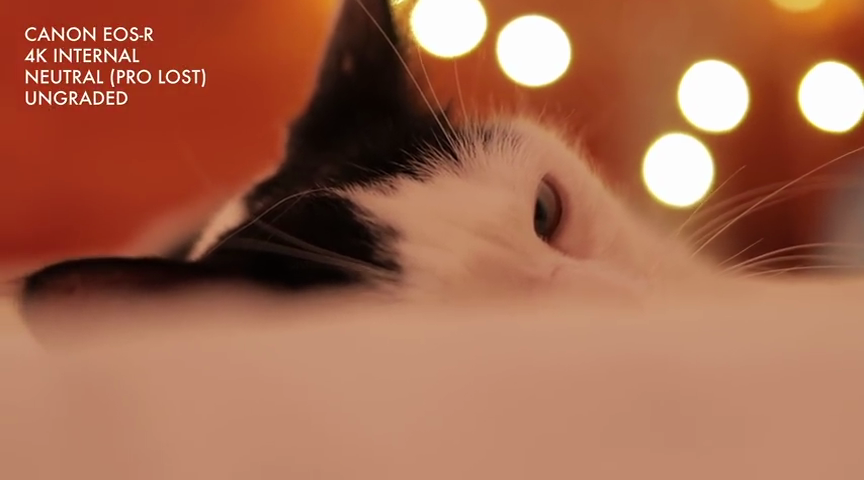
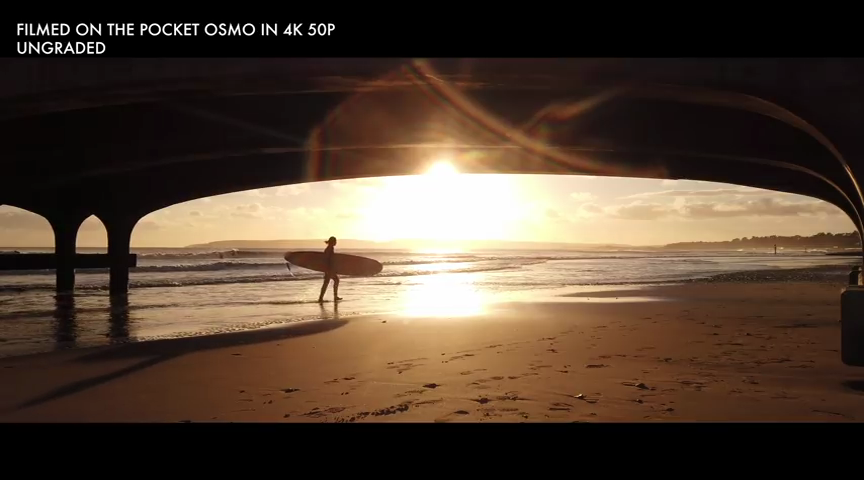
From a couple of mentions by Juan Melara I think that Film Convert is actually a really sophisticated colour engine and has all sorts of film profiles built-in, so while Philip may only apply it in a subtle way, I think the "it" that he's applying is complex and sophisticated. That's why I'm interested in trying to replicate it. Of course, the Osmo and EOS-R shots above were ungraded and they still have a lot of his look, so it doesn't look like he's heavily relying on it. I was in the train once and noticed that a woman was putting on her makeup and I'd noticed just as she started. Over the course of about 5 minutes she did about a dozen different things and ended up looking quite made-up. The interesting thing about it was that each time she'd pull something out and start applying it, it had such a subtle effect that I couldn't tell at first if it was doing anything. Her overall look was created through applying many subtle and almost imperceptible changes, and her final look was obviously something she'd spent a long time crafting such that each of the elements all worked together in the end. I think this is what quality film-making is about - pushing and pulling things very subtly all through the process in such a way that the end result is really great but nothing stands out as being the single reason behind that result. I think this is why we can watch 100 award winning films and still not be that aware of how to make one ourselves!
-
You've reminded me of something else I noticed - he quite often doesn't bother with the 180 degree shutter rule. The X-H1 image above contains a bird and if I compare the blur to the movement of the bird I estimate he's getting something like 30-60 degrees of shutter. It's not like he can't afford enough NDs, I think he just doesn't care enough to dial that in each time.
-
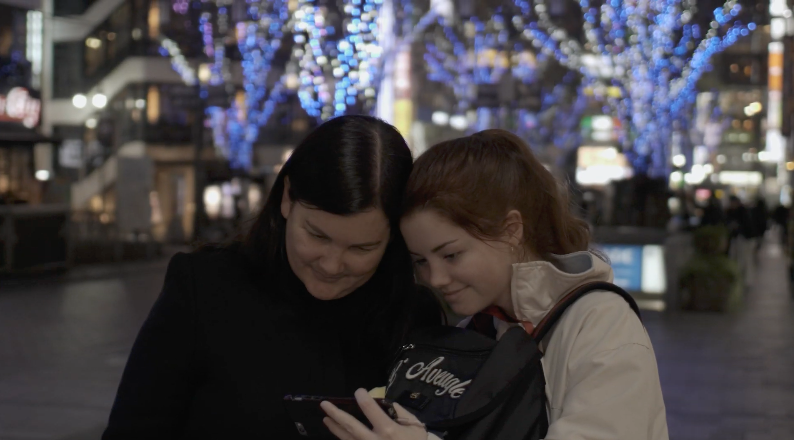
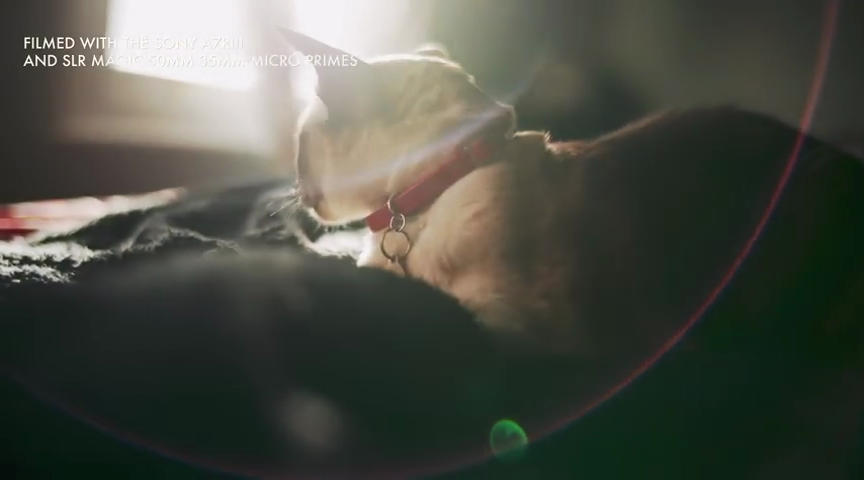
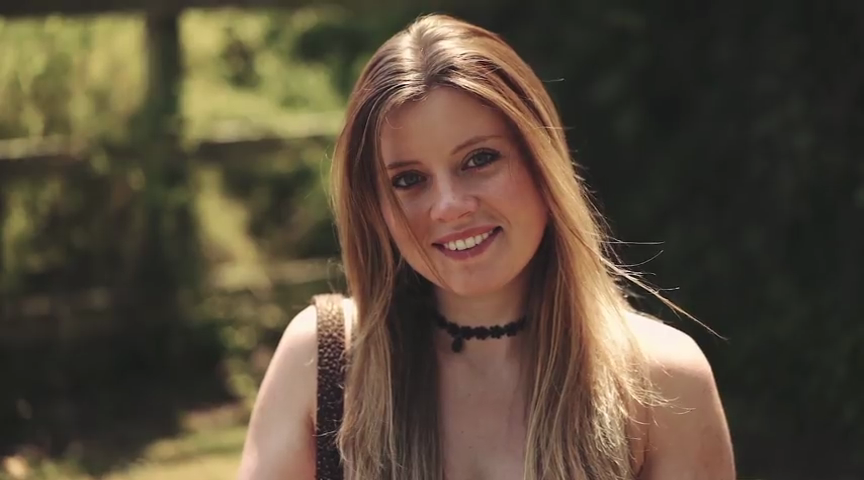
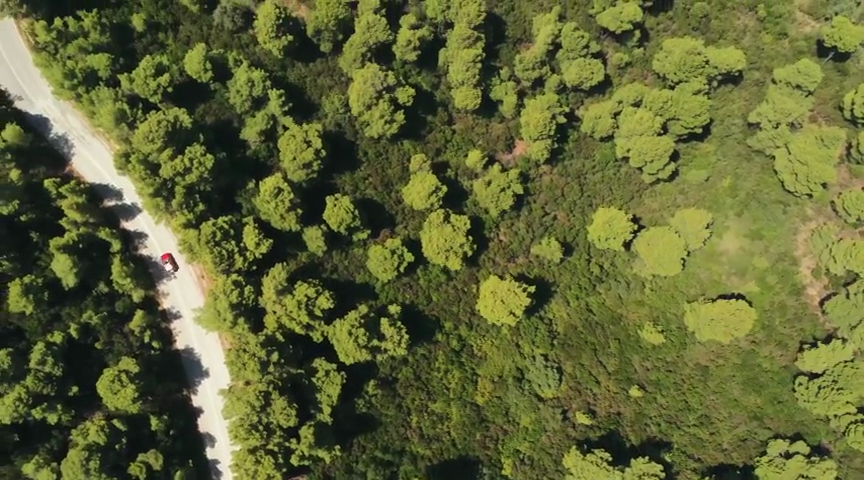
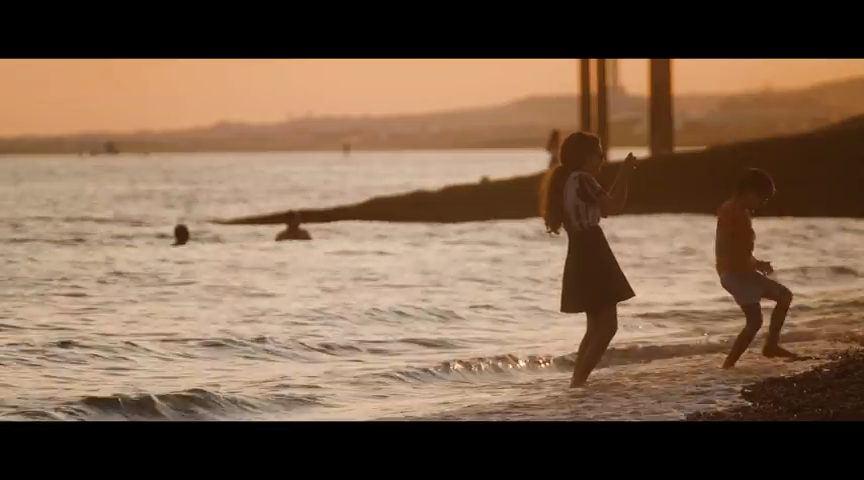
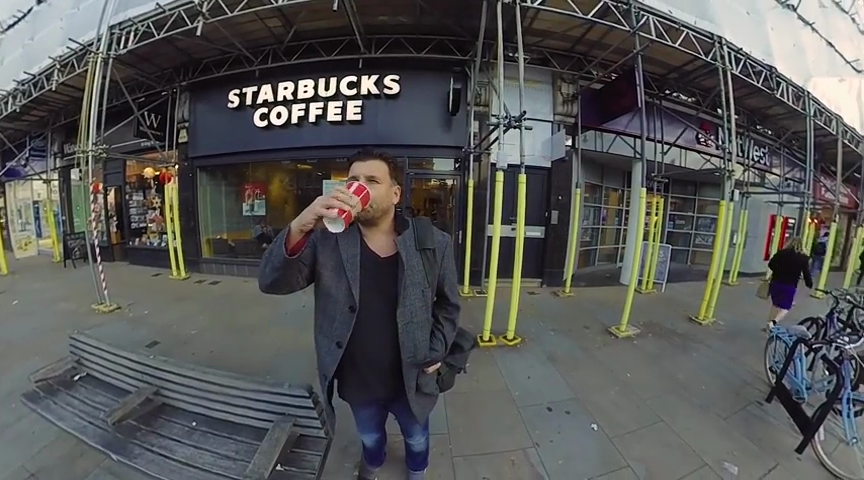
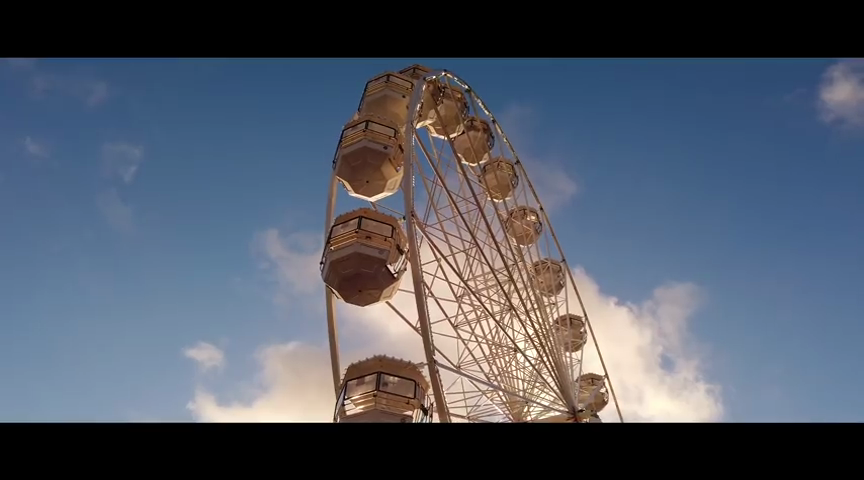
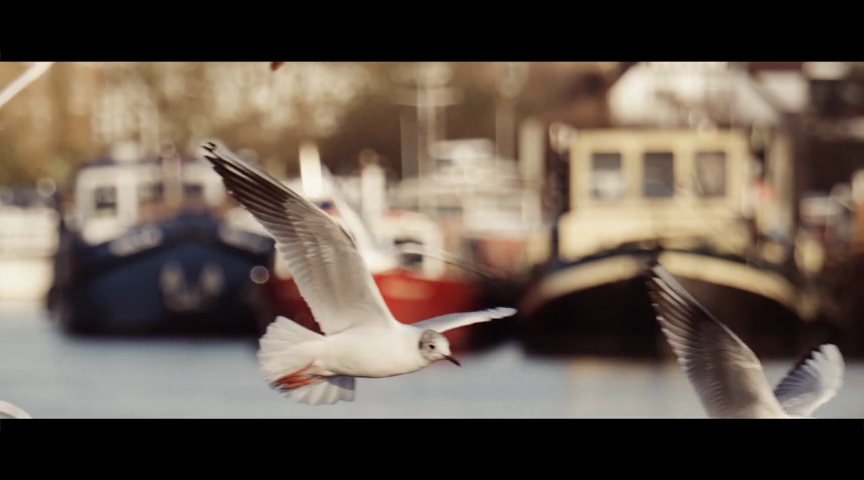
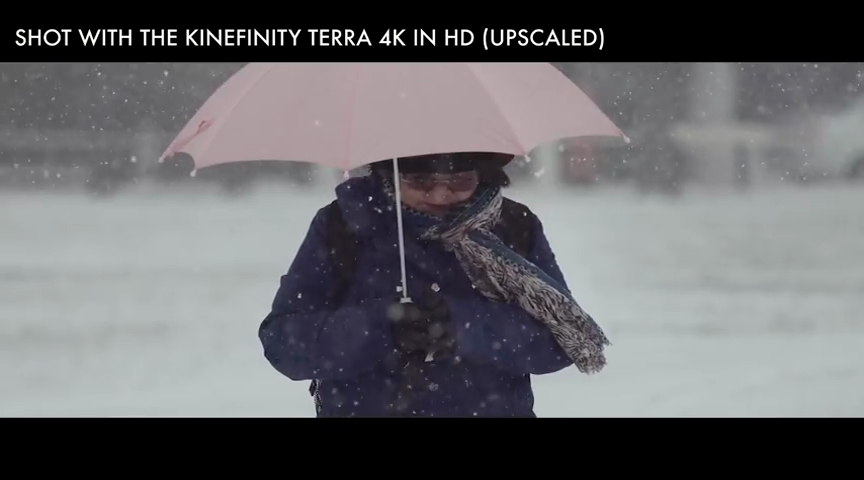
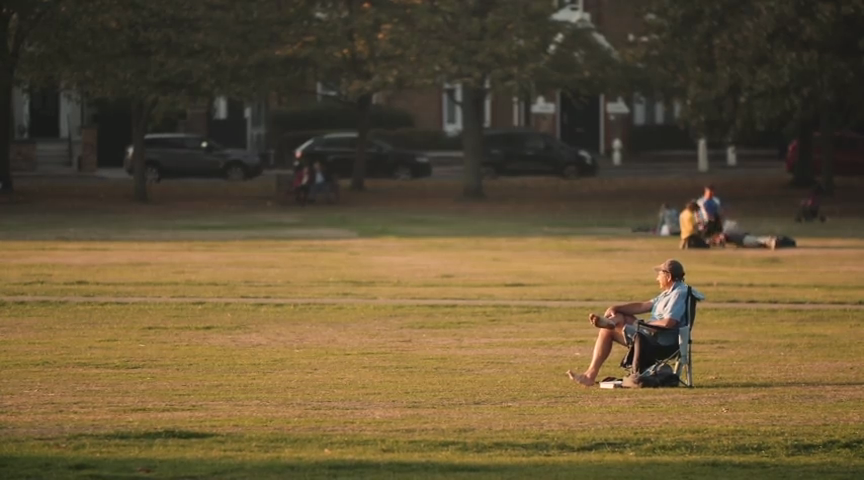
There are many professional DOPs out there and I believe there is much we can learn from studying their work. However, it can be difficult to gain insights if you can only study their work when each project has been created in partnership with a different team of people each time - lighting, shot design, camera and lens choices, grading, etc are all aspects that the DOP doesn't have full control over and makes it hard to 'see through' to the commonalities that the DOP provides. There is one notable exception to this, and that is Philip Bloom, who regularly creates videos as a one-man operation and shares them on YouTube. I'm not suggesting that he's the best DOP in the world, or that we should copy him, or anything like that, but he is a career professional, and I'm not afraid to admit that he knows more about this stuff than I will ever know, so I believe there is a lot we can learn. He recently published his annual Best Camera Gear video, and I made a number of interesting observations from watching it. Here are a bunch of frame-grabs from the video. A7RIII with SLR Magic A7III with Sony 55mm Parrot Anafi drone DJI Magic Pro Fuji X-H1 EOS-R (ungraded) Insta360 One X Osmo Pocket (ungraded) Kinefinity Terra 4K BMPCC4K Kinefinity Mavo LF Here are some observations from the above shots: There is a look that is relatively consistent across the shots. It's not applied so heavily that every shot looks the same, but people familiar with his work would have a good chance of recognising that these were shot by him. Something that is worth noting is that he's managed to get this consistency from a hugely varied selection of equipment, including different brands, different focal-lengths, different apertures, hugely different price ranges, and from different levels of image quality and codecs, across different locations within different countries, at different times of day, in different seasons, and shooting different things. He's not able to get that look in all cases. One notable exception is the Insta One X that doesn't seem to fit the look, everyone has limits on what they can achieve. Equipment doesn't matter as much as the skill of the operator, but it still matters to a certain degree, and especially if the equipment is below a certain level of quality or capability. The look that he's creating is quite pleasing. It won't be liked by everyone (no looks are universal) but on the whole he manages to get good looking results from whatever equipment he's using. Anyone who has picked up an even half-decent camera and not been able to get good results from it knows that this is not something that just happens - you have to know what you're doing. So, what are the ingredients of this look? (note that not every shot includes every ingredient, but the more you can include the more consistent your results will be) The images have a warm colour balance. There are two main contributors to this that I see, the first is the grading he does which often warms the images overall, pushing greens towards yellow, pushing blues towards aquas. The second is that he's very often shooting into the sun in golden hour. The shots also tend to have fewer hues in each shot - making them more likely to be harmonious and pleasing. The images have a kind of controlled level of contrast to them. You don't look at them and find them flat looking, but they don't look super contrasty either. This look probably comes from paying attention to the blacks and almost blacks, which are slightly lifted and don't ever appear to hit absolute black, let alone crushed. This look seems to come from shooting directly into the light and having camera flare lift the blacks, but is also controlled in grading. His images have a kind of controlled level of saturation to them. Colours are bold but not electric, skin tones are very well controlled looking soft but not desaturated and are neither too yellow nor too pink. Considering all the talk about colour science and skin tones, this is noteworthy. His compositions are strong. I chose nice frames for these frame-grabs but there were no shortage of frames to choose from. Composition is hugely important and is free with every camera - even with the Insta360 which struggles in most other ways. He uses great lenses. This is perhaps something that people easily mis-interpret. Great lenses is a relative term, and is about the combination of the lens, the subject, the conditions, and the desired end result. It's tempting to think that you'll get great results from super expensive cinema lenses that he often uses, but the smooth rendering and polished look of these lenses is a terrible choice if you want to shoot something that needs a more realistic / edgy / gritty image, and besides, if it was all about cost, then how do we account for the image that he gets out of the Osmo Pocket with its fixed budget lens, or the Parrot and DJI drone shots? The answer is that he uses high quality glass when he can, and when the glass has limitations he adjusts the subject and the conditions to get the best out of that lens. In a sense, these videos are cheating. He is able to shoot whatever will look good and not include the shots that don't. If you don't believe me then go have a look at the lovely images he got from the iPhone 5s at 120fps and notice that he only shot images looking straight into the sun near sunset, this is because a camera with bad ISO performance, a small sensor, in HFR modes needs a huge amount of light to get good results, then see that he tended to shoot with things very close to the camera which is the only way to give some defocussing and depth, and shooting into the warm setting sun also makes sure that the colours will be nice and the colour range will be simpler. He uses great glass by making sure that he only shoots what the available glass is great at. Not visible in the frame-grabs, but he also shoots a lot of slow-motion. It is totally cheating and is completely over-used, but these shots are about making nice images, so why not. Im sure there is lots more, but this is what stands out to me. Let me know what I missed. As there is a graded shot of the BMPCC4K in the video and he posted the RAW file from the same shot earlier in the year, it gives a unique opportunity to try and copy the grade and see what is actually going on, so if I get time I might try and reverse-engineer the grade. If so, I'll share the results. Thanks to Philip Bloom for continuing to share with us.
-
In relation to the Voigts being soft at f0.95, that's definitely true, but I would still choose to have them be able to do f0.95 rather than only be something like f1.4 but remain sharp. The advantage of the extra aperture is useful for multiple reasons. I shoot in completely uncontrolled conditions, and so have to make do with whatever lighting is available, and in low-light there's many times I looked into the viewfinder and saw a dark image with muddy lifeless colours and the focus peaking highlighting the auto-ISO noise in the shadows, but then I start opening the aperture dial and the ISO noise goes away, the image lightens up, the colours clean up, and by the time that I hit the limit at 0.95 I am so happy that the lens can gather that much light that I don't care that the focal plane will be a little soft. I like to be able to use aperture to control the attention of the viewer by focusing on what is important in the shot and to slightly blur the things that aren't important in the shot. This is a fundamental of composition I think. It also helps to create some depth in the image and escape that flat video look that people don't like (otherwise we'd all be using handicams and this forum wouldn't exist). Any lens is capable of blurring the background if the subject is quite close to the camera and the background is much further away, but in my travels I sometimes want to blur the background a bit when the subject is a bit farther away from the camera and closer to the background. In normal circumstances you might just ask people to move, you might move the camera closer, or you might put on a longer focal length lens, but often I don't have the luxury of being able to do any of these, but I can just move the lens past the 1.7 or 1.4 maximum aperture of other lenses and get the job done with a simple adjustment. There are also rare occasions where you want a greater than normal background blur for artistic effect. This goes beyond the blur you would want just to control attention or to add some depth to the scene. This could be used for highly emotional scenes, scenes depicting a POV with altered perception (half-asleep, drugged, the view of a baby, etc), but normally this is a night shot where you want to have pretty lights in the background. This shot that I took a few weeks ago is a combination of all of the above - low-light, subject further away, no time to change lenses or move closer, and I wanted the background Christmas lights to look wonderful. It's basically ungraded, but illustrates the points I think.
-
Welcome to the forums!
-
I skimmed this video and it looks pretty good as an intro to grading in Resolve. I know most of what is mentioned already so it's hard to sit through 2 hours to get a few snippets of new info, but for people unfamiliar with it, this is a well structured and thorough video. Interestingly, the presenter Daria is the same presenter as the dozens of Resolve guides from Goats Eye View that stopped after v12.5. Those were also excellent so it's great to see Daria back again Haven't watched it yet, but if it's anything like the colour grading one it should be really good. In addition to those, here are a few more from BM. The second video is for 3D work and assumes you've watched the first one which explains how Fusion works in 2D. I'm really looking forward to watching these. When they added Fairlight I did a bunch of googling to try and find free guides or tutorials and found almost nothing. I have a background in audio so I figured out how to use it pretty quickly (as would anyone who understands multi-track DAWs) but my impression was that there was a lot more to it because it was hugely expensive previously. Resolve has a media management function that's pretty well hidden that can do cool stuff like move, copy, and transcode media. It can also do those things for all media in the project, only the clips that appear on the timeline, or things like the parts of the clips that are on the timeline plus a specifiable number of seconds on each end of the clip so you have some room to adjust edit points afterwards. I've used this module transcode H264 to low res Prores files for an online/offline editing workflow in the past, so it's really useful.
-
Considering that the infinity stop is past infinity and there is no focus lock, and f16 is the FF equivalent of f32 and quite soft due to diffraction, I'd say that's a terrible idea! ??? If you compare them to photo lenses then they sound like they're not worth it, but if you set them to de-click the aperture and think of them as cine lenses then it's a whole different price bracket altogether where they're an absolute steal! One thing you can't tell about these lenses until you get them is the build quality, which is through the roof. They are completely solid, and the focus and aperture controls are silky smooth, and overall they're absolutely wonderful to use. I'm a technically inclined dreamer, and I'm always noticing the shortcomings of things and dreaming about what improvements I might want to make, and after shooting with it as my default lens for about 20 days now, I have had exactly zero thoughts about what I could improve with the Voigt I have (17.5mm). I never want it to be faster, or nicer to use, or whatever. The only downside I'm aware of is that they're quite soft wide open, but they are a lot faster than the competition and I think are sharper than the cheaper MFT lenses at the apertures that they max out at. For me, ultimate sharpness isn't something I care about, and lenses like the Helios that both I and the OP have are pretty soft too, so it's not a problem for me. As everyone on the planet knows, AF isn't the reason you get a GH5, so manual focus fits with that system, and if you use the 4X digital zoom and focus peaking to help you set focus each shot then it's relatively fast and pretty accurate working with it. Interesting to hear you prefer the Voits over the Leica / Contax lenses. What is it about them that you prefer? I completely agree with you about talent vs equipment. Not only with the Hollywood crowd pumping out unimaginative and formulaic action movies with gorgeous equipment, but also my decidedly clumsy and amateurish film-making combined with the lovely equipment I am making it with!