Anaconda_
-
Posts
1,534 -
Joined
-
Last visited
Content Type
Profiles
Forums
Articles
Everything posted by Anaconda_
-
Ah, that doesn't have any effect on the clip's volume, but on the output volume. What I want to be able to do for example is this: Clip 1 levels are at -18db Clip 2 levels are at +0db Without going into a timeline, just by viewing the clips in the source viewer, I want to turn them both up or down to hit -12db. then every time I clip that clip to view a part it's always at -12db, anywhere in the software. The slide you pointed out won't do this, and Clip 1 will always be -18db quieter than Clip 2.
-
Unreal - downloading now.
-
I couldn't use it for my bread and butter editing for one main reason. You can't adjust the volume of a clip at source level. Sure there are work around, but it's just not the same. If you're watching an hour long interview, but the audio's at -18 to allow some headroom, I can't be turning my speakers up and down to accommodate, because when I go to play something else it'll just be too loud. Trying to adjust my speakers to accommodate gets frustrating. Especially when you turn up a quiet interview and then import a song while forgetting to turn the speakers down again! Similarly, when you import some music that's levelled at -0, I want to be able to turn the source down. I could put the clip in the sequence and spot from there, but that quickly becomes messy. In Premiere, and most other software, you can adjust the levels and view it in the Source viewer, before it goes anywhere near a timeline, which keeps things much more organised, and maintains your desired sound levels throughout the project. That said, I am new to Resolve, so if I'm wrong, please let me know as that could change a lot for me.
-
Basic info from the article: Electronic image stabilization called “Rocksteady” mode (I hope its two tone only in that mode on release) 1080p up to 240fps Filters screw on, AND must be tight because they are part of the waterproof seale this could be problematic if users don’t attach filters correctly, or use a damaged filter Osmo Action is smaller than GoPro HERO7 D-Cinelike Shoots 1080p/2.7K/4K
-
I just tested on my monitor and couldn't get a signal. That's a real shame as I can see it being very useful in a number of situations. Maybe that's another thing they can fix in an update.
-
I've always looked at degrees as a way to prove to early employers that you're able to commit to something longterm, see it through to the end and put all of your attention into it. No matter what courses you choose, it shows that you believe in yourself, and you see that it's worth investing thousands of dollars into yourself, knowing you'll be able to make it back. I feel like even a degree in something unrelated to what you want to do for work is worth more than no degree in the first place. That said, I studied in the UK, where the price of college education is a fraction of what it is in America, so maybe in the US it's smarter not to think of it in such a way.
-
I personally don't have any issues with Braw, and trying to judge it based on YouTube videos seems bazaar. BUT, as a lot of people do have problems with it, I was wondering, is it the kind of thing BMD can improve through firmware updates? I'm pretty clueless about format progression, but how was something like ProRes in it's first year of release compared to now? Did h264 get developed further after it's initial release? Can Braw get better to stop people's 300% complaints?
-
Are you shooting 4K422 internal on the JVC? I've always had an issue with that codec, even in Premiere, Quicktime and I think VLC too. If you are, see if you can import a 4k420 file and see if that helps. I remember reading somewhere that they don't have an interest in building JVC's codec into the software because not enough people need it.
-
Has anyone heard any more about Braw in Premiere? I know it's hated here, but I can't get consistent exports from Resolve. The colour in the export is always different to what I see in Resolve. I've researched it a lot, and it's like GOT, totally my fault for not setting things up and calibrating etc. etc. But at least with Premiere what I see is what I get even if it's wrong.
-
GoPros, and probably other action cams, sink by design. When you're diving 40m underwater, the last thing you want is your camera to float to the top. But seriously. I really like using my Osmo Pocket for family stuff, but there's no way I'd buy another camera in the consumer class from DJI. In my experience with them, it's all about a money grab. Their USBc-3.5mm input is like €40, and they've disabled all third party ones, that cost like €3. Then there's the whole watermarking your own footage with their logo if you use the 'Story Mode' or whatever that's called. - anyway, that's off topic. It'll be interesting to see what they have.
-
Not in my experience, but maybe I'm using the camera wrong.
-
That doesn't sound very 'non-destructive'. Hopefully they'll release a how to.
-
I don't do it, nor do I advocate for it - but I know that you can and its very easy. Like instal everything, click one button and then use it all as normal.
-
But how is it displaying an image? There's no HDMI cable. @CaptainHook addressed it when the first load of cameras were sent out and someone noticed it. You can change the colour profile in Resolve to fix the issue.
-
I just found this:
-
Are there any good transitions in Resolve? All I can find is star wipes and venitian blinds. Could someone advise how I can go about creating something a bit more glitchy? Are there plugin packs you can install? Or is it building everything from scratch everytime?
-
This seems to be the best rig I've seen so far. I have pretty much all the components, or variations of them, so I'm going to try it out pretty soon.. https://youtu.be/vXQ4CnxFJNs
-
The cinematographer is defending his work. https://www.theverge.com/tldr/2019/4/30/18524679/game-of-thrones-battle-of-winterfell-too-dark-fabian-wagner-response-cinematographer "people don’t know how to tune their TVs properly” .... “We tried to give the viewers and fans a cool episode to watch,” he said. “I know it wasn’t too dark because I shot it.” Well... I tried to give my wife a 4 course meal. I know it tasted great, because I cooked it. If she didn't like it, its because her tastebuds are wrong.
-
I'm not sure if anyone's pointed it out, but last month Viltrox updated their EF-M2II to version 3.3 to specifically work with the P4K - I've not tested myself yet, but I read that aperture control and IS are both now working. EF-M1/EF-M2II Version 3.3 Updated Date: 2019-03-21 Update as follows: 1. Fixed the BUG which cannot control the aperture in BMPCC 4K. Direct link to download: http://www.viltrox.com//en/uploads/20190321/1553151267107312.zip Direct link to download page: http://www.viltrox.com/en/index.php?m=index&a=content&cid=119
-
Yeah it was the only grab I could find on google. There are also some great shots when he picks up a gun or kicks over a table. Things like that.
-
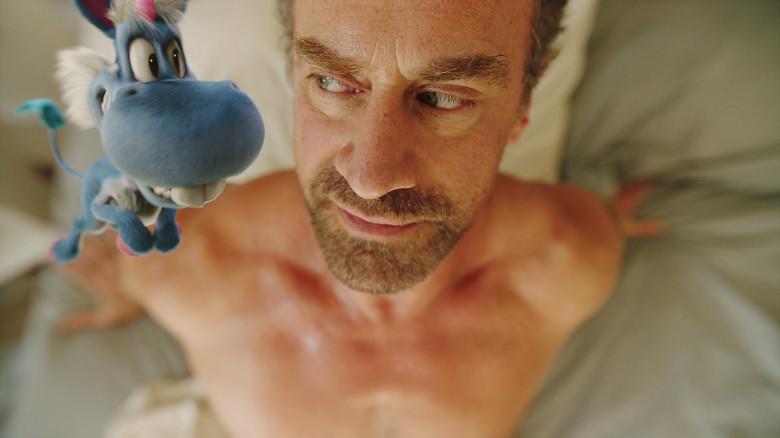
Season 2 is still weekly, but I think it's coming to a close pretty soon.. The altered states scenes are so creatively mare, I wish I could find info on how they're doing it. As for the CGI, I felt the same at first, but it's grown on me. The whole point is he's a wacky character, and puppetry could have been limiting. The plates for the closeups of the imaginary characters are always really interestingly filmed too.
-
Has anyone here seen the series 'Happy!'? The camera work in the first season is remarkable, and the second season is even better. I'd love to know more about the lenses and framerates used.

-
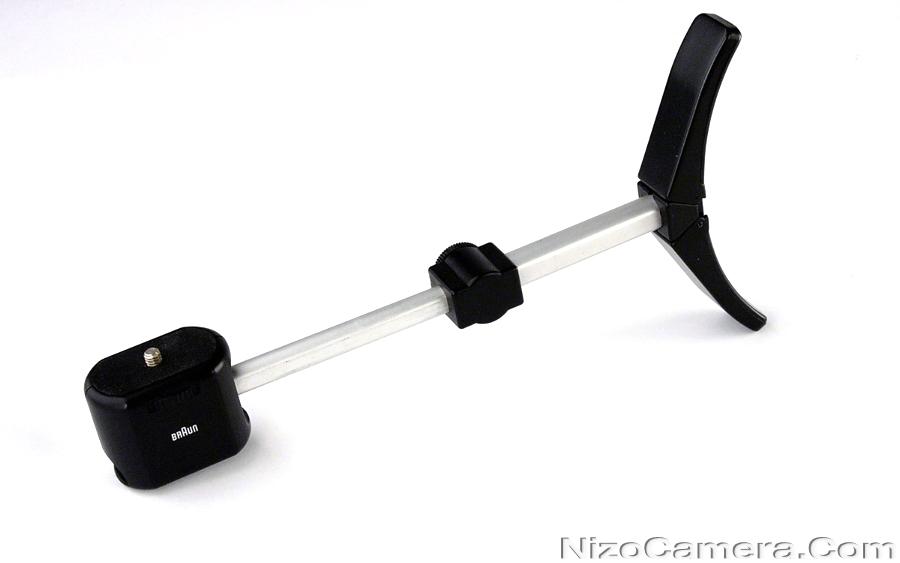
I found one of these in a thrift store for less than a pound. It works really well and folds down to fit in my back pocket.
-
At least you're 1 step closer to a new colour.
-
Parfocal cine-zoom designed specifically for the P4K (and other MFT cameras) Shipping in August for $1699