


Here is a really useful tip for GH2 owners.
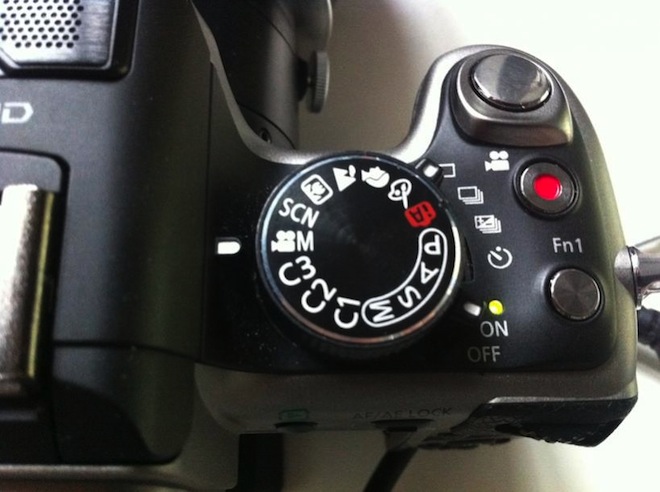
You can store the entire main menu settings lock-stock and barrel into one of the custom mode dials, C1, C2 and C3 – including 24p, 60p, and the entire creative movie mode.
So now you effortlessly switch back between 24p, 60p, or any camera settings of your choice just via the mode dial. Never enter the main menus again.
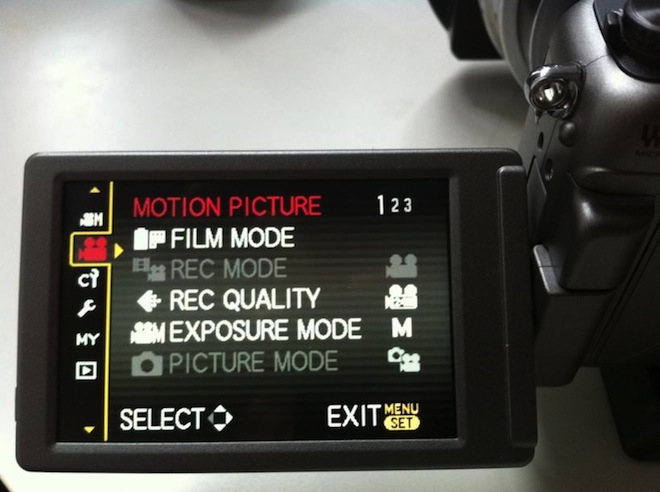
How you do this is setup the camera with the dial on creative movie mode. Ignore the custom mode dial settings menu with the dial set to C3, etc. – you can’t change much through those out of the box. For example you need to select 24p in the Creative Movie Mode as normal, you cannot select it on any other mode.
Once the entire camera is setup in creative movie mode and you want to save that state to a custom mode dial, enter the main menu and use the following option:
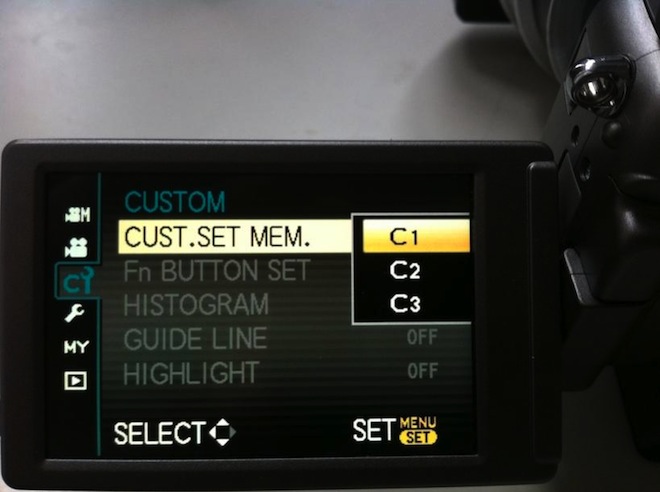
Save the settings to one of the dials – C1, C2, C3. The C3 mode is closest to creative movie mode on the dial so this is my main preset – the one I use most outside creative movie mode.
Each of these dial modes can be set as creative movie mode but with different settings – just makes setting up the camera so effortless.
Here’s an example of how I have mine setup.
• Stills mode is set to a different aspect ratio on each dial, so I have 16:9 on C3, 3:2 on C2 and 1:1 on C1 for square Instamatic style photos
• In creative movie mode I have 24p, on C3 which is next to it on the dial I have 720/60p
• I have Ex Tele crop movie mode setup on C2
• On C1 I have custom Kelvin white balance enabled with 24p and a flatter film mode (cinema gamma mode with contrast and sharpness turned down)
Also it’s great to have fully manual stills mode on C3 so it’s once again next to the Creative Movie Mode on the dial like the GH1, since the M mode for stills is now a good 3 notches away from movie mode on the dial to make room for the custom modes.
