
Ty Harper
-
Posts
513 -
Joined
-
Last visited
Content Type
Profiles
Forums
Articles
Everything posted by Ty Harper
-
Yes it does seem so. It's just that the price seems too good to be true.
-
I already have one and I definitely don't need it but it just seemed too cheap to pass up. I've been trying to get a sense of whether the person is selling it because the Band (A) is about to become illegal but nothing yet (not to mention the jargon around this stuff is in no way accessible to someone not familiar with it). Thanks for the second opinion tho!
-
@IronFilm, kind of off topic but wondering your thoughts on the Sennheiser SKP300 transmitters. Would you pick a used one up right now if it was on offer for $100?
-
@Andrew Reid what are your thoughts on the lack of a practical dead pixel fix? Especially considering that if you're buying used, it isn't always easy to tell which ones might have the issue. Do you really think the image is worth the expense? (I believe on that dead pixel thread there are reports of people having to send their 1DC in to Canon every year or so bcuz the dead pixels keep coming back)
-
Definitely still a great camera for video and pics. I have one and will probably never sell it because I love its look so much. That said, I doubt that I would've bought it if i'd seen and read this thread beforehand: http://www.dvxuser.com/V6/archive/index.php/t-333479.html And unlike most Canon dslrs the 1DC can't fix dead/stuck/hot pixels internally. You have to send it in to Canon which will cost you, and is also only a temporary fix because the issue apparently returns in time.
-
Nice comparison AND it was shot in my hood! Go Vistek!
-
Lol, I only say that because excluding the remapping feature doesn't seem like the kind of decision motivated by their cripple-the-product-protect-the-bottom-line strategy.
-
Maaan, if they would just add that remapping feature I would be so content with my 1DC. I mean, I'll probably never sell it, but the knowledge that the hot pixel issue is just a matter of when, not if it happens to this camera, is just enough to make me feel uneasy anytime I reach for it to do a shoot. I'm not an expert on the history of DSLR f*ck ups at all, but the omission of that feature (a feature that seems to be standard or at least common place enough to be expected in their high-end product line) seems more egregious than their practice of crippling their cameras.
-
Been using the Nexto DI 2901 with a 1TB SSD for the last few years to transfer RAW ML files from my 5D MKIII, and although they've discontinued it, it's served me well. https://www.bhphotovideo.com/c/product/1194890-REG/nexto_di_nese_nd2901500s_nd2901_500gb_ssd_portable.html Definitely open to newer options tho. Wish the CF option was built in although I get that CF cards are on their way out, but I'll be rockin' Canon stuff for the foreseeable future so that kind of sucks. Also hoping these new options will allow us to switch out the drives like the Nexto DI.
-
So you're saying the rs shows up, even when you're doing static closeups?
-
The rolling shutter on the 5D MK4 seems unacceptable, and prefer the dslr form factor to the C100/300 line. I'd pick the 70D over the 80D bcuz of the Magic Lantern hack.
-
Geez! Didn't know it was that bad. Seems like my only option for something compact and under $3K with DPAF from the Canon line is the 70D (?)
-
Can someone explain what happened in this scenario?
-
Agreed! But I honestly can't see myself ever shelling out that type of money for a camera that doesn't have DPAF (unless I'm mistaken the C500 doesn't have it right?). I also can't see myself ever going back to that more traditional form factor (I used a C300 as a producer daily a couple years back and I'm assuming the C500 has a similar feel and heft). I'm in the minority but so far I prefer the ability to build up a dslr around a cage system and strip it down when needed.
-
Yeah figure so but actual confirmation is always good :-) I've got a 1DC and a 5D MKIII and although I know many have written the MK IV off I''m really leaning towards just picking one up once the price gets in sub $2K/used range. I know the cropped 4K sucks and all that but it's really the DPAF that I want.
-
Anyone know how well the MK IV and 1DC cut together?
-
Mmm I think playback is still the choppy Black and White... at least on mine it is but I also haven't upgraded in a while.
-
And then use the LUT that is closest in color temp to the color temp of the footage?
-
I've got the X-rite color checker and was going to do those same steps but I guess my main question was whether a LUT created under say daylight color would be something I can just apply to footage shot in say non daylight situations?
-
Any color matching experts with advice on the best way to do this? I'm assuming it would make sense to match the 5D Raw to the 1DC and LUTS would be the way to go, but I'm foggy around how it all works. I know I'd have to set up some basic tests with color cards and stuff, but would I have to create separate LUTS for different lighting scenarios (Daylight, Tungsten etc)? Or are the color differences between the two cameras a mathematical value that can be figured out and applied with just one LUT? All that said, if someone has already created LUTS for this particular camera matching scenario I'd definitely be open to paying for a copy.
-
Just thought I'd update this thread for historical accuracy. Got my 1DC back a few weeks ago and all seems to be working fine, but if any other issues come up with this thing it will automatically become a paper weight.
-
I've used the Glidecam HD400 with an arm brace for most of my time shooting stuff. How do these ones compare weight-wise? And are there arm braces or accessories to help with the weight?
-
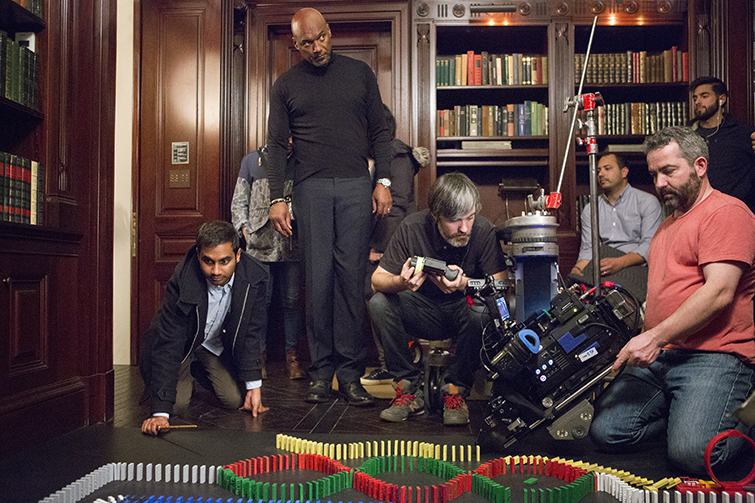
Cool article.. The Cameras Behind Netflix’s Original Films and Series BY MICHAEL MAHER NOVEMBER 17, 2017 Curious about the cameras behind Netflix Originals? Here are the cameras Netflix has officially approved — and the series using them. Top image via Netflix. As a company that produces and streams content on a massive variety of devices, Netflix requires their original content to be at least 4K for optimal presentation. These recommendations come directly from Netflix, and they are primarily for their own content. So you can still shoot on other gear and hope for distribution, but to meet their standards or work on one of their sets, you’ll need to use the following cameras or specs. Netflix’s Basic Camera Requirements There are two main classifications for Netflix cameras: primary and secondary. Primary is your main camera, which must have a true 4K sensor. Secondary cameras capture any type of B-roll or additional footage, like crash cams, aerials, POV, and underwater cameras. Image: Master of None via Netflix / Panasonic. Primary Netflix Cameras True 4K sensor (equal to or greater than 4096) Minimum 16-bit Linear or 10-bit Log processing RAW Log (Including, but not limited to…) S-Log3 V-Log CanonLog3 REDLogFilm BMDLog LogC Must send original camera files without looks, LUTs, or color correction Maintain metadata Tape name Timecode Frame rate ISO WB In addition, Netflix requires approval for aspect ratios greater than 2.00:1 — filmmakers must also shoot framing charts before principal photography begins. That way, the framing charts can get processed through the pipeline of editorial, post, and VFX. Full article: https://www.premiumbeat.com/blog/cameras-behind-netflix-originals/?utm_source=facebook&utm_medium=post&utm_content=The-Cameras-Behind-Netflix's-Original-Films-and-Series&utm_campaign=11-2017-facebook-posts --

-
For sure, and I'm not a super experienced camera person, but it does seem like pixel remapping is one of those features most might expect to come standard in a camera from Canon's C-line.
-
I'm pretty sure Canon has stated that you can't remap the 1DC, it's discussed in the infamous Dead Pixels thread over at dvuser: http://www.dvxuser.com/V6/archive/index.php/t-333479.html Point is you'd have to constantly be sending it back to them every year or so, and of course they wont be doing it for free. I honestly wish I'd known all this before I bought it but hey, lesson learned.