
jonpais
-
Posts
6,355 -
Joined
-
Last visited
Content Type
Profiles
Forums
Articles
Everything posted by jonpais
-

EOSHD Pro Color for Panasonic (GH4, GX85, G85 + more)
jonpais replied to Andrew - EOSHD's topic in Cameras
Hi Tom - are you adding sharpening in post? Also, if what you are after is a cinematic look, I would try to avoid such harsh lighting conditions.. Here's an image (not same camera) with sharpening turned all the way down in camera, none added in post, shot at around 11:00am, which is far from ideal for a good image. The in-camera sharpening is still obtrusive to my eyes.
-
The complete review of the G80/85 over at cameralabs.
-
Here are some useful tips to creating a demo reel. And here is a compilation of work by one of my favorites, Ruben Latre:
-
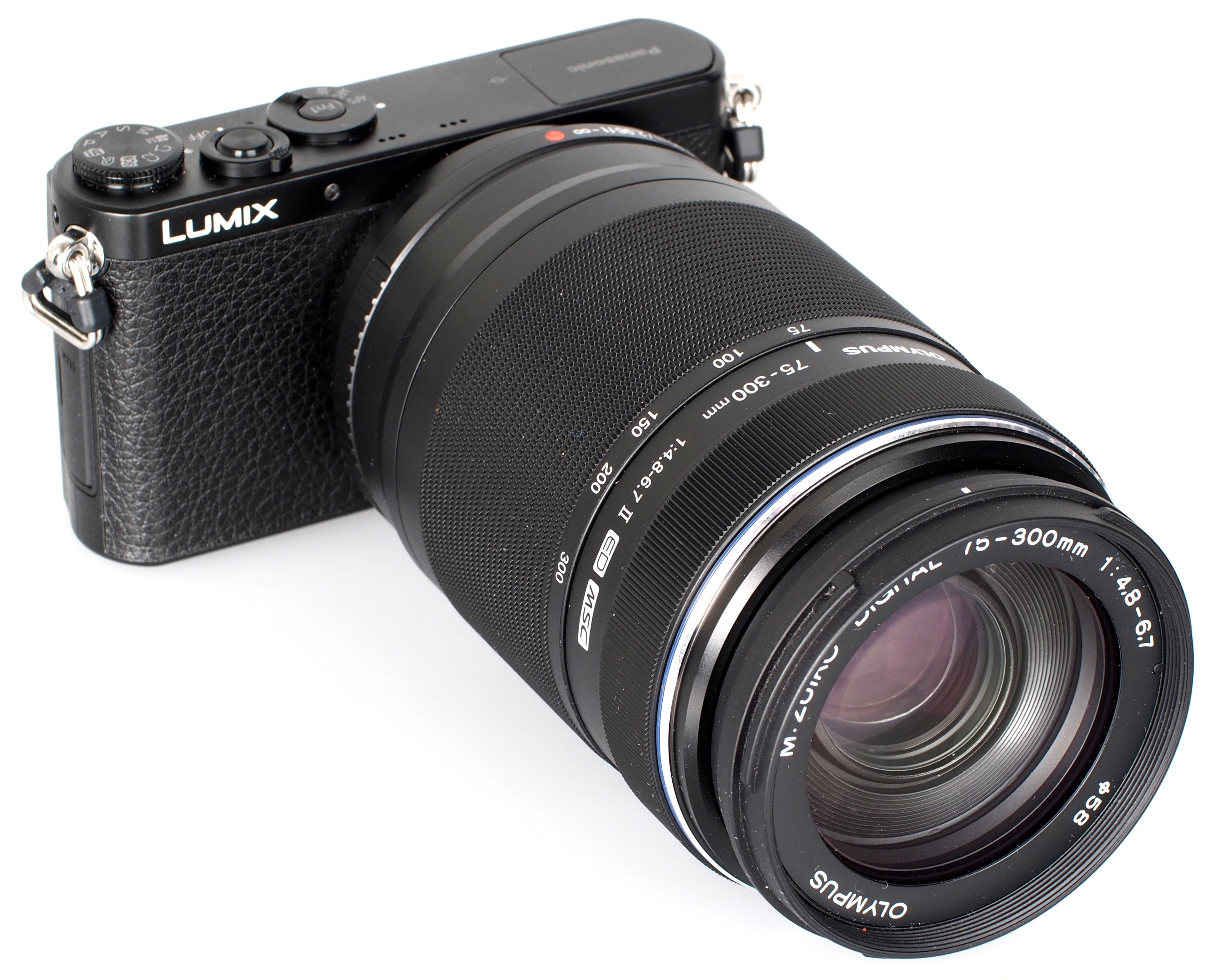
Well, the G85 has a larger body, so it will be easier to handhold a larger lens. It is also half magnesium alloy, whereas the GX is plastic. Here's a shot of the diminutive GM1 with an Olympus zoom that weighs twice as much as the body.
-
Newsshooter's Dan Chung had the opportunity to try out the Metabones XL on a pre-production GH5. He was not able to get it to work with any lenses with electrical contacts, but he was able to use it with the Xeen 50mm. He turned off IBIS because the image circle is barely large enough, but it worked. He will be posting more sample videos at the site soon.
-
Lens + Light. The most cinematic looking are the ones shot with inexpensive lenses like the Rokinon 85mm f/1.4. The ones with an overabundance of detail and shot in harsh light, well...
-
-
I'm sorry, but the colors here do nothing for me. Ungraded, Fuji X-T2, Astia Soft
-
Apparently, it has the same extraordinary build quality of other Fuji lenses, superb sharpness, quiet autofocus and silly crazy optical image stabilization. B&H has some 155 customer reviews, averaging 4.5-5 stars.
-
He's saying should be available March-ish.
-
Here's Gordon Laing's review of the G80/85. He begins to talk about video at 39 min.
-
In any case, I would never walk and shoot with any of these cameras without a gimbal, unless I were intentionally going for an agitated look, which I do on occasion.
-
equivocal? ?
-
They are wrong, go into menu, Movie, Movie AF Mode, Area or Multi. Choose Area for the focus points. Done!
-
Factory settings don't show the focus points for some reason. You have to go into the menu and enable them. I've been trying to find those settings for the past ten minutes to no avail, but they are available in AF-C and AF-S. Can't a salesperson there help you?
-
Max Yuryev does a comparison of IBIS between the a6500, EM1 II and G85. Link here.
-
There's no need for this extra step. Just dragging the 4K clips to a 1080p timeline is fine.
-
Some very good advice. I haven't tried using the joystick while in AF-C yet, I'll have to give it a shot this afternoon. But Dean should know that AF-C can be a bit abrupt when it changes focus points on it's own - it isn't smooth like Sony, for example. Also, because several members here have also said they use shutter speed to control exposure when shooting video, I tried it out once or twice for myself - for static subjects, it works just fine, but for moving people and objects, it can introduce a stuttering motion. I used it once when a stylist was spraying hairspray on a customer and it looked pretty neat though. Just something to be aware of. Finally, while I have only used the 50-140mm on sticks so far, that lens is probably one of my favorites. The build quality is also amazing. I believe it also has something like four AF motors, more than any other to the best of my knowledge.
-
To refocus while shooting, use the joystick. I've never done it, but from what I've heard, the problem you can run into is that the camera may start focusing on points in between points as you move the joystick. To get 1/50, move the shutter speed dial to 1/60. Below the shutter dial, between the AE-L and AF-L, a wheel allows you to make incremental adjustments.
-
Josh - nice work, good presentation. The tips are excellent, too, especially #1, because I always worry I'm going to lose that screw! Your brief balancing tutorial is quite different from every other one I've seen, or how I balance, but whatever works, you've obviously got a lot of experience. Subscribed to your channel!
-
Looking great.
-
There's a switch on the front of the camera to select between AF-C, AF-S and M focus. I almost always leave the camera in manual focus and use the AF-L button to acquire focus, that way, I can see the focus peaking when I move around the subject. I haven't used the 18-55mm, but tests I've seen give it around 2.7-2.8 EV, which is average. One of the best I've seen is the Olympus 300mm, which is between 4.5-4.7 EV. The screen does not dim while recording 4K, and you can adjust screen brightness in the settings. How about a monopod?
-
EOSHD Pro Color for Panasonic (GH4, GX85, G85 + more)
jonpais replied to Andrew - EOSHD's topic in Cameras
That's really amazing! Can we see one of your videos that shows all this wonderful color? BTW, your Vimeo channel is simply incredible! You have such an eye for composition. I must have watched the Mega OIS vs Power OIS at least a dozen times. The GH4 must really be holding you back. I love reading your reposts here of topics you started at other websites four years ago. -
???
-
EOSHD Pro Color for Panasonic (GH4, GX85, G85 + more)
jonpais replied to Andrew - EOSHD's topic in Cameras
Here's a demonstration using all three settings on the GH4 with FCP.