
stephen
-
Posts
245 -
Joined
-
Last visited
Content Type
Profiles
Forums
Articles
Everything posted by stephen
-
Sigma FP II still is a niche camera. Much better than version one due to the partially stacked sensor and new video codecs. If I was staying with L Mount I would still get Panasonic S1 II. Currently is sells for 2700 Euro in a local store + 300 discount if you return any digital camera, including non working old point and shoot. 2400 E is cheaper than Sigma FP II + External EVF. Panasonic S1 has shutter, grip etc. It is interesting to note that apparently Sony keeps the higher resolution 33Mpx sensors for itself, despite the rumors that sensor division is independent.
-
Thanks a lot for the hint ! Better user experience when not holding the ISO button while changing ISO with a wheel.
-
It looks my first guess is correct except company is not Panasonic but Sigma. 24Mpx sensor in a relatively lower cost cinema type of camera body could only be the one in Nikon Zr, Z6 III, Panasonic S1 II.
-
ZR ctl or Paralax Monitor is great. Interface is good and allows to change practically any major video related setting. For somebody like me who is not familiar with Nikon menus it is a great help. Connectivity with the camera is breeze too. Just plug the USB cable. It solves also another problem which Z6 III has - lack of LUT support. It is important for me as I use LUTs to set exposure. Using a LUT is by far the best and easiest way to set exposure for video and also save lots of time in post. Kudos to the creator. Megadap ETZ21 Pro+ is the first adapter that I know which allows you to stack electronically two adapters ! Any A-Mount Lens + LA-EA5 + Megadap ETZ21 Pro+ can autofocus on Nikon Z bodies. Same with Canon EF lenses and Metabone adapter + Megadap ETZ21 Pro+. Almost any Sony or third party lens for Sony E mount works (can autofocus) with Megadap ETZ21 Pro+ on Nikon Z bodies. Practically I can use all the lenses that I use on Sony. Of course there will be some penalty with continuous autofocus but I rarely use it anyway. Nikon Z mount cameras have some quirks too. For example they lack the third wheel that most mirrorless camera have. You need to push and hold a button and keep it pushed while changing ISO. Assuming that for video we lock the shutter at 2x frame rate, 2 wheels will do the job. Nikon however don't give the option to assign ISO on some of the wheels. You can only switch them - one for shutter and one for aperture and vice versa. I bought Nikon Z6 III instead of Zr. Z6 III has full size HDMI and great EVF plus a physical shutter for photos. Flip out screen being small or big is not that useful for me. A monitor or smartphone that serves as a monitor and sits on top of the camera and slightly in front is much better. Price second had is now around 1600/1500 E mark. Low enough to get it and scratch this internal RAW view itch 🙂
-
For me it works on Sony ZV-E1 without external USB power with HDMI connection only. In fact it is the only camera I tried that can do this. I don't think there is something special with the connection between the camera and the EVF. The EVF has a very small button that controls the brightness of the screen. I've noticed that it works only after certain level of brightness is reached. Try increasing the brightness of the EVF LCD and see if this can make it work.
-
Emanuel, I've been on many concerts 🙂 Mostly rock, pop groups and individual performers. 🙂 More or less concept is the same as Sony maybe Honor has a better implementation. IMHO it will have low market demand. I am motioncam user and visit their community forum from time to time. How many members do you think this forum has ? It recently crossed the 10K mark. More than half of the people who bought the application will run a few test clips and forget about it. Let's assume it has 10K active users or 3x this number. It is still a tiny number compared to the billions of smartphones sold per year. While the economics work for the application and team of 2 people I doubt it will work for the design and production of an add on module + related application and software that can be used only with specific smartphone model. Smarthones are primarily communication devices, then cameras. It doesn't make sense to spend 2000 Euro for a smartphone only because of a particular camera module or add on. 1000 Euro for a phone with decent cameras + 1000 Euro for a better cameras with interchangeable lenses makes more sense. Again IMHO those add on camera / lenses, telephoto lenses, robot phones, they will not last long. We'll see. Let us know if you buy this particular smartphone / camera.
-
Nothing new under the sun. Sony tried this concept 13 years ago with Sony DSC-QX100 and Sony DSC-QX10. It didn't work / sell well. Maybe their implementation was not good, maybe smartphones were not fast enough or price was too high. I somehow doubt it will work now. 99.9 percent of the people are quite happy with the cameras on their smartphones. Those who want something more are a tiny minority and they have plenty of other toys to play with. So again I doubt this will sell. Same as those telephoto 300mm,400mm and more add on lenses. Who the heck needs those ? Bird shooters, sports shooters ? They are a tiny minority of a tiny minority and they will buy a mirrorless camera for those tasks. Smartphone manufacturers will soon realize they waist time and money. I am quite happy that we now have : 1. RAW video and basically great video IQ from smartphones with 3rd party applications 2. Finally one company broke the mold and produced a flagship smartphone with 35mm focal lenght main camera
-
According to the rumor the L mount camera that will appear this year will be a Sony FX5 competitor. IMHO this camera will come from Panasonic or Blackmagic. Most likely Panasonic as it already has the Nikon Zr, Z6 III sensor in Panasonic S1 II and proved it can get better IQ than Nikon. Plus it has all the exposure tools already available. It seems logical Panasonic to try its luck with FX3/5, Nikon Zr type of camera. The game changing camera will come next year. Until we know what is game changing we can only speculate. Here is my take: Sensors come from 2 companies - Sony and Canon. Canon keeps their sensors for themselves so in practice it is only one company - Sony. It already showed their best sensor in FX5/A7R VI. So we have 2 options left: A. Sigma or Panasonic come with a new type of sensor: Sigma Foveon or Panasonic Organic. IMHO very unlikely in both cases. B. DJI which so far has proven to think and create out of the (Japanese camera tradition) box can come with something interesting. Recently I've leaned that DJI developed electronically controlled ND filter for Mavic 4 Pro which is not yet officially announced but already is selling on ebay and amazon by unknown Chinese sources: https://www.youtube.com/watch?v=WHt0OaxKu4E While not perfect it shows DJI has the potential to come with a camera that solves the ND problem for mirrorless cameras. DJI can come also with better price and user interface both of which company already proved is capable of. Current and previous generation of mirrorless cameras are great so I doubt any of those can tempt me to go back to L Mount. It so good to forget for a while about cameras and lenses and just go and shoot something. 🙂
-
Sony FX5 has the same or slightly modified sensor from Sony A7R VI. Interesting. FX5 would be a tempting proposition if you buy a new camera for commercial work from a local shop. Difference with FX3A is about 1000 $/E. As others already mentioned same FX3 sensor is available in the form of A7S III and Sony ZV-E1 for much less in the second hand market. Difference in picture quality between the FX3 sensor and FX5 one in real world shoots will be minimal. Not to mention that I can monitor and control current Sony cameras from a quality monitor like Portkey LH5P or a smartphone or use cheap external EVF and have all the tools for comfortable and quality work. Thanks but no thanks, not for me at this price.
-
Tradingshenzhen also has Vivo x300 Ultra global version. Will buy the Chinese version as difference with global one are small and definitely not worth 500 Euro. There is a lot of ongoing development in video for smartphones. A new application now allows every iPhone from 13 Pro to 17 pro to shoot Log with HEVC 444 codec. Same quality as RAW much smaller files. Amazing. https://www.youtube.com/watch?v=mTDz2yyx_yE
-
Samyangs at f1.4 are not cheap plus they are big and heavy. As far as I remember you don't like big and heavy. Maybe older sigma lenses from HSM generation as Anaconda_ suggested. Sigma 24mm f1.8, 30mm f1.4, 50mm f1.4 HSM. They are all under 200 E/$. Not small though. If you want smaller and cheaper lenses then you have to accept they start at f1.8, f2 and f2.8. Then you have lots of option and not only with Canon. You can also adapt vintage lenses to EF adding second adapter. With speed booster they become f1.4 to f2 both quite usable in low light on m43 in my personal experience. I was in this place more than 5 years ago with BMPCC 4K. Went trough speed boosters, calculating focal lengths, spending lots of time researching and trying to build decent lens sets both vintage and modern. My frustration grew with time as I realized this won't be cheap nor ideal to my goals. Went FF and never looked back. My decision was driven specifically by lenses. I realized the hard way a well-known truth: We buy systems not cameras and lenses are more important than cameras. If I want to use vintage lenses, cheap lenses, have access to the largest pool of lenses - FF is the right choice. I may change one FF camera system with another, my vintage lens sets stay, lenses have the same focal length and character. Same is true for Canon EF lenses. A FF system is no longer more expensive than m43, especially when we include the lenses. Example Panasonic S5 vs Panasonic GX85 + speed booster. Paradoxically a FF system (body + lenses) may even come cheaper due to large pool of lenses than m43 + speed booster.
-
According to this reviewer VIVO x300 Ultra is the GOAT of smartphones for video: https://www.youtube.com/watch?v=Zbh6Kplm8pc RAW video with DCG on all 3 lenses with the MotionCam Pro 5 Beta and 35mm on the main camera. Now question is should I buy the Chinese version from tradingshenzhen.com or wait 10-12 month for global version to appear on second hand market at decent prices.
-
I've used Metabones Ultra 0.64x speed booster with my Blackmagic Pocket 4K. Compared to 0.71x is moves your crop factor a tad closer to FF 0.64x -> 1.28x vs 0.71 -> 1.42x and gives you a little bit more light (1/3 stops) and a little bit more DOF. You can use it not only with Canon EF but all lenses which have flange distance > than Canon EF. Like Contax Yashica, Nikon, m42, Pentax. Biggest issues for me is the weird crop factor. x2x0.64 = x1.28. Now I want an angle of view equivalent to 35mm in FF. Which lens should I use ? 28mm as 28x1.28=35.84 And so on. That's why I moved to FF. 35mm is 35mm no matter if lens is vintage or modern, plus I can use Minolta MD, and a bunch or other brands and bayonets. No need for speed boosters. Lens is used exactly as it was intended by the manufacturer. Sensor if big and has no problem with low light. For vintage lenses and in general for lenses alone FF is the way to go for me. I was tiered to calculate crop factors and deal with speed boosters.
-
Programmer and creator of the application is different person not the one behind MotionCam. However he used the same msraw format/container as motioncam. As result workflow is exactly the same and motioncam MacOS or Windows application is needed to extract the DNG files. Yes agree image quality is indeed lovely. Limitations however lead to some frustration for me. I may reconsider and use it from time to time, we'll see.
-
Now any iPhone (pratically from 12 and up) can shoot open gate RAW video https://www.youtube.com/watch?v=3TkrKTOOGLE However after trying extensively RAW or Android and Log on iPhone I am not keen to shoot video on smartphones. Too many restrictions and the whole idea to have a cinema camera that you can just pool from your pocket at any time and start shooting doesn't work in practice. Still several accessories like ND filters, cage + hangle or gimbal are needed. I would rather take a small camera with small lens like Sony ZV-E1 + Sony Zeiss 35mm f2.8 with me than a bunch of smartphone accessories.
-
I hear the same thing. Most small and one man video production companies and teams use Sony FX3 and FX6 cameras plus Sony auto focus lenses. No manual focus or fancy anamorphic lenses. That explains why Sony doesn't care about open gate.
-
Nikon ZR vs Arri Alexa Mini Color (R3D NE, N-Log, Log C) https://www.youtube.com/watch?v=mgJGK3YpIx0
-
We can control H265 quality in Nikon Zr and results are not bad at all. Interesting, I've never heard anybody mention this. https://www.youtube.com/watch?v=iHbq8g6dBCk
-
Somehow missed this one. Dual gain conversion (DCG) in RAW video for android smartphones : https://www.youtube.com/watch?v=YVj6JYXF14M https://www.youtube.com/watch?v=BlBN7vOwEnw https://www.youtube.com/watch?v=f36q0F-ZtdI Plus some great smartphone RAW video color grading (10bit RAW no DCG): https://www.youtube.com/watch?v=4LHLDKIEBe0 https://www.youtube.com/watch?v=-6mPoJ5NpoU
-
N-RAW Normal is still there and can be renamed to RED RAW. I understand that's not an option for people who want to trim but then as Jahleh said why not use NRAW. I was impressed recently by some of the color grading done in the movie The Ministry of Ungentlemanly Warfare. It was shot on Sony Venice 2, (Sony A1 sensor) at 8K RAW and transferred to 4K Digital intermediate. Following Hollywood workflow another option would be to do the trimming plus some WB and exposure balance in Resolve and export in something like ProRes 4:4:4. RAW video workflow will usually more work. ProRes 10bit 4:2:2 4K is an alternative, cinema tools test shows texture of image is good. Or expose h.265 2 stops to the right. When I am shooting at night with Sony ZV-E1 and don't expose 1.7 to 2 stops to the right, there is plenty of noise in the shadows. IMHO this is not a camera to get if you shoot a lot of 4K 60p or 120p and have a fast project turnaround that requires the use of x265. It is specifically for people who want to shoot predominately or at least 50:50 RAW video and are ready to absorb the cost in time and money.
-
I noticed that in Cinema Tools comparison between Nikon Z6 III and Sony FX3 in the first section both cameras use x265 codecs. Watched it on big OLED TV and didn't notice any visible differences in color. IMHO Nikon x265 is perfectly usable option if maximum compression and smaller files are needed. If still in doubt about x265 quality, ProRes 10 bit 4:2:2 at 4K is good alternative. Here are the compression ratios of all Nikon codecs in Z8. We can easily extrapolate them to Z6 III / Zr https://zxi.mytechroad.com/blog/photography/nikon-z8-prores-prores-raw-bitrate-and-compression-ratio/ NRAW / RED RAW normal has a compression ratio of 7.5 which is comparable to BRAW 8:1. NRAW / RED RAW high quality - 4.5 compression ratio comparable to BRAW 5:1. Those are very good compression ratios. ProRes HQ 422 10Bit - 5.2 ProRes RAW - 2. We have several RAW or non RAW codecs and compression options. Last Z6 III firmware version 2.0 brings shutter angle. Z6 III has wave form too. The few options that are missing are open gate, anamorphic desqueez and LUTs. I don't need the first two and can have the last one with external monitor. Overall Nikon Zr / Z6 III are great cameras and quite affordable compared to the image quality in video they give.
-
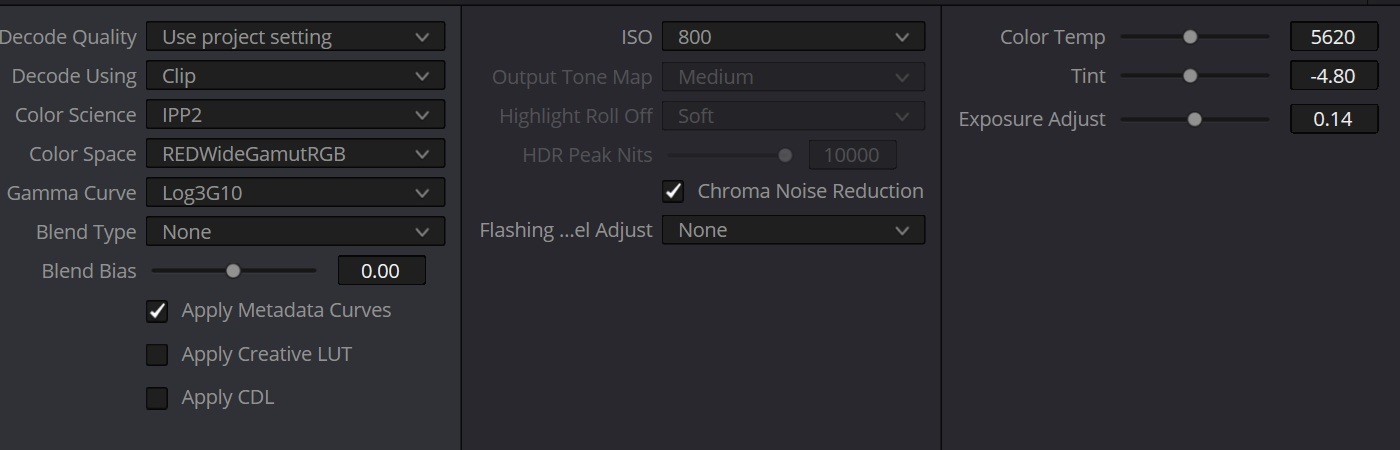
Here is my understanding about 4K NRAW in Nikon Z6 III / Zr and Z8. I don't have the camera just gathered info from Internet. Correct me if I am wrong. Z8 as others already mentioned uses two different methods to get 4.1K NRAW / RED RAW from 8K. Gerald Undone gets a lot of criticism on this forum but he mentioned those methods in his Z8 review while many other reviews don't. Typically for all 4.1K from 24fps to 60fps and 120fps Nikon Z8 uses line skipping with all artifacts that come with this method. Only for 24p,25p and 30p Nikon Z8 has a special EXTENDED OVERSAMPLING mode. This method of course gives more detailed / better image. It is not without it's own issues. Those issues becomes logical when we ask ourself how do they over sample a RAW video stream and at the end get another RAW video stream ? https://alikgriffin.com/nikon-z8-color-shifts-4k24p-nraw/ https://www.youtube.com/watch?v=YyyiKwlRXCA IMHO this small green cast in the shadows will be easy to fix. Still will require some work and time. The extended oversampling is not available for 60p and 120p. In this case APS-C crop is an option for better non line skipped image. Nikon Z6 III / Zr 4K NRAW is line skipped, but 6K full sensor width NRAW has only slightly higher bit rates when shooting with NORMAL quality. They are comparable to Sony Intraframe codecs. IMHO for RAW video 24Mpx sensors represents the best balance between resolution and speed. Too many mega pixels and large portion of them should be discarded somehow for 4K RAW video or we have to deal with huge 8K filesand do the down scaling in editing. 12Mpx sensor on the other side actually has less pixels than theory suggest are needed for perfect 4K DCI debayering. Rumors about what Sony using probably a fully stacked 24Mpx sensor in next FX3 make sense. Nikon Z6 III / Zr Achilles heel in NRAW so far is dynamic range / latitude. All tests of Nikon Z6 III so for show 1 stop less of both dynamic range and latitude compared to sensors in Nikon Z8, Sony 12Mpx one in ZV-E1, A7S III, FX3, FX6, 50 MPx one in A1, Sony Venice 2. They all have dynamic range between 12 and 13 stops and 8 stops of latitude. I really hope Red Raw better log profile, chroma noise reduction and 6K to 4K resolution down-scaling will give one more stop of DR and make this sensor on par with the rest. After all same sensor in non DR Boost mode in Panasonic S1 II when using ProRes RAW codec reached 9 stops of latitude. It is hard to believe Nikon used some trimmed down version of the same sensor. x265 10bit 4:2:0 in latest Nikon hybrid cameras is visibly of lower quality compared to RAW video but it may turn out to be perfectly fine for most tasks and most people. Nikon x265 10 bit 4:2:0 may turn out to be as good as other brands x265 10bit 4:2:2. I don't know until I try it myself or see a detailed test. Between Nikon Z6 III and Zr I would choose Z6 III. It has good EVF, shutter, Full HDMI port and is a true hybrid. Internally for video they are practically the same and by renaming NRAW video files we get access to the better RED RAW pipeline and color science in Resolve. Current Nikon Z6 III price in a local photo shop is 2050E. Nikon Zr price is 2375 Euro and camera is not yet available. Nikon Z6 III doesn't sell well, price was decreased significantly from original 2500-2800 Еuro most likely because it doesn't offer significant upgrade for photo shooters and all those talks about lower dynamic range. Second hand Z6 III bodies pop up locally from time to time in the 1700-1800 Euro range and still with warranty. IMHO Nikon Z6 III and Zr are for people who want to shoot RAW video. Theory and practice tell us 10bit 4:2:2 is equally good but sometimes we just want something 🙂, for whatever reason. 12bit NRAW with RED RAW hack is really a great choice because it offers fairly compressed industry standard RAW codec. ProRes RAW has higher bit rates. I edited in Resolve some sample NRAW video clips from Nikon Z8 and Z6 III and can say that if video is exposed properly there is no need of noise reduction. Editing, color correcting and grading them is not more difficult or time consuming than SLog3 internal footage from Sony. They take more space but still nothing crazy and for certain projects and people it could be acceptable. Bottom line: If you want to shoot RAW Nikon Zr, Z6 III and Z8 as well are great options, first two being quite affordable. I am worming up to the idea to get Nikon Z6 III. Use it some time and compared it with Sony ZV-E1 which has one of the best Sony sensors for video. Then eventually keep one of the two and sell the other.
-
An older comparison between Nikon Z6 III and Sony FX3. Nikon Z6 III has the same sensor as Zr so this comparison is still relevant. https://www.youtube.com/watch?v=2Uz0pJvveoA While in lab tests Z6 III and Zr semi stacked sensors have one stop less of a dynamic range in practice this different is hard to see or notice in most scenes. I wouldn't worry about dynamic range. Once weakness Nikon Z6 III and Zr have and also Z8 is the fact that if you want the best video picture quality you have to shoot in RAW. NLog used in ProRes and x265 internal codecs is not as good as Sony or Panasonic Log profiles. x265 codec is 10bit 4:2:0. Shooting in RAW would require more time and work in post production as de-noise and lens correction have to be done in post. https://www.youtube.com/watch?v=8nyTnnbszZg This is because when de-bayering RED RAW files in resolve and RED software you have this option to reduce chroma noise. Until somebody does a proper test with RED RAW file I think semi stacked sensor in Nikon Zr and Z6 III is still one stop lower than sensor on Sony FX3 for example. As previous tests shows this difference is undetectable in real world shots, it can be measured only in tests Here is how to get rid of the blue channel clipping without renaming files to RED RAW (R3D). Yet renaming the files gives more options and better results, so people will keep doing it https://www.youtube.com/watch?v=G7U-WysxaRw

-
Agree. My point is that we can see for the first time FX3 and Zr image side by side. Nikon Zr image when R3D codec is used looks good.
-
This is an interesting approach. The DCTL basically mimics photo editing and puts all corrections in one node. It is clearly for people who don't want to go deeper in Resolve and color correction/grading in general. They also have some or a lot of Photoshop / Lightroom experience and habits. These Resolve users do exists. I was one of them many years back and I hope your DCTL would find its users. For more sophisticated users like me now and basically anybody interested in going deeper into Resovle it is too simple and lacks fine controls. For users like me and serious colorists there are many DCTLs that address the complexity problems of split toning, S curve, better contrast, film density, etc. in Resolve. They provide much finer control over each aspect of the image. Most of those DCTLs are created by professional colorists and used by other colorist and editors. I also use some of them. Mononodes DCTLs IridescentColor DCTLs PixelTools DCTLs Many free DCTLs Cullen Kelly - Contour toolset DCTLs Waqas Qazi - Qazi's Toolkit DCTLs Behind those tools also lies a methodology well explained by colorists. For me personally understanding image editing for film and video at a deeper level is much more rewarding process. Once I created my node tree and establish each aspect of the image, editing and color correction is a piece of cake. So not for me but there are people who may like your approach.